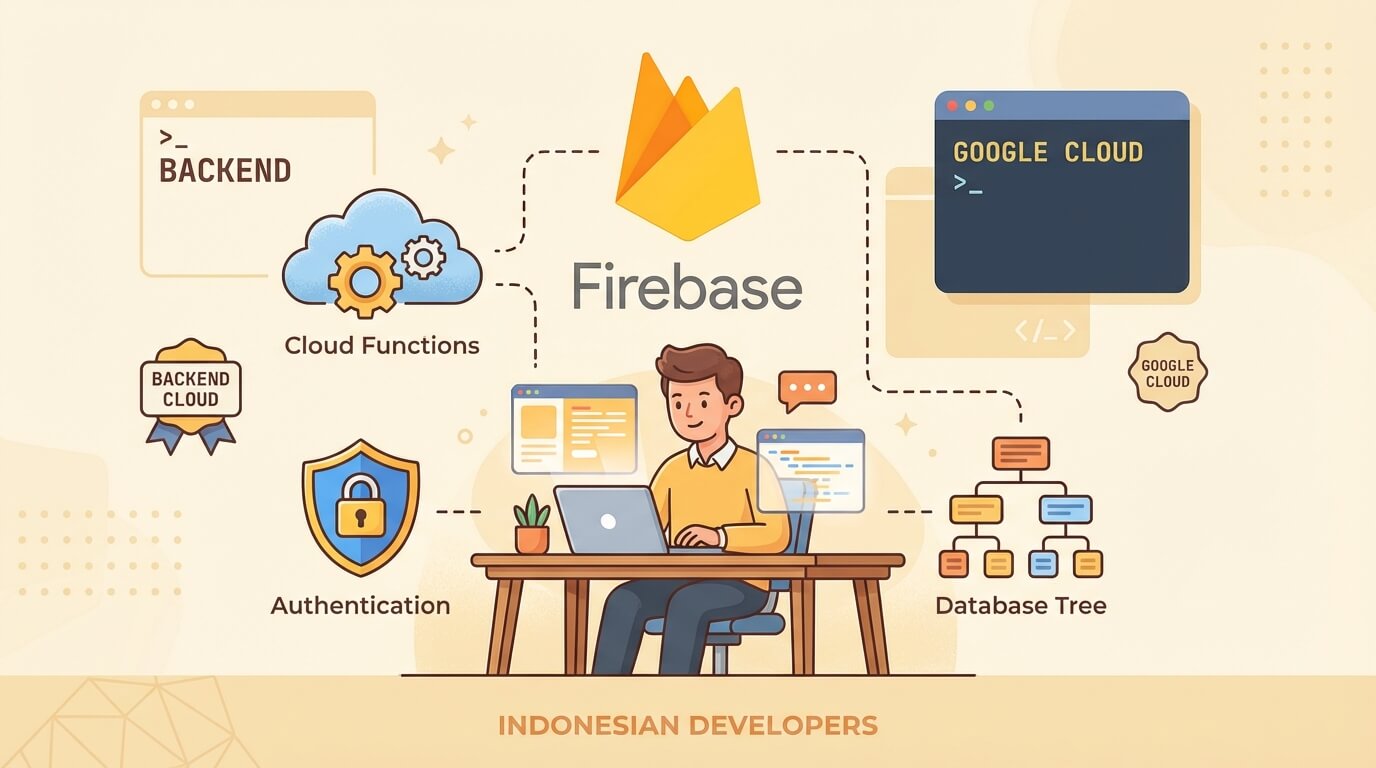
Firebase Tutorial for Developers: Complete Guide
Saturday, Dec 27, 2025
Firebase is a Backend-as-a-Service (BaaS) from Google that has become an industry standard for rapid development. If you want to build an app without the hassle of setting up a backend from scratch, Firebase is a solid choice.
In this article, I’ll cover everything you need to know about Firebase—from setup to production. Let’s dive in!
What Is Firebase?
Firebase is a development platform from Google that provides various services:
- Authentication - Login with email, Google, phone, and other providers
- Cloud Firestore - NoSQL database with realtime sync
- Realtime Database - Legacy database, still useful for certain use cases
- Cloud Storage - Object storage for files and media
- Cloud Functions - Serverless backend logic
- Hosting - CDN hosting for web apps
- Analytics - User behavior tracking
- Crashlytics - Error monitoring
- Remote Config - Feature flags and A/B testing
What makes Firebase powerful is the seamless integration between services and mature SDKs for various platforms (Web, iOS, Android, Flutter).
Firebase Project Setup
1. Create Project in Firebase Console
- Go to console.firebase.google.com
- Click “Add Project”
- Enter project name
- Choose whether to enable Google Analytics (recommended)
- Wait a few seconds until the project is ready
2. Add App to Project
Click the web icon (</>) in project overview to register a web app:
- Enter app name
- Check “Also set up Firebase Hosting” if desired
- Copy the config that appears
3. Install Firebase SDK
npm install firebase4. Initialize Firebase
// lib/firebase.js
import { initializeApp } from 'firebase/app';
import { getAuth } from 'firebase/auth';
import { getFirestore } from 'firebase/firestore';
import { getStorage } from 'firebase/storage';

const firebaseConfig = {
  apiKey: process.env.NEXT_PUBLIC_FIREBASE_API_KEY,
  authDomain: process.env.NEXT_PUBLIC_FIREBASE_AUTH_DOMAIN,
  projectId: process.env.NEXT_PUBLIC_FIREBASE_PROJECT_ID,
  storageBucket: process.env.NEXT_PUBLIC_FIREBASE_STORAGE_BUCKET,
  messagingSenderId: process.env.NEXT_PUBLIC_FIREBASE_MESSAGING_SENDER_ID,
  appId: process.env.NEXT_PUBLIC_FIREBASE_APP_ID,
};

const app = initializeApp(firebaseConfig);

export const auth = getAuth(app);
export const db = getFirestore(app);
export const storage = getStorage(app);
export default app;
# .env.local
NEXT_PUBLIC_FIREBASE_API_KEY=your-api-key
NEXT_PUBLIC_FIREBASE_AUTH_DOMAIN=yourapp.firebaseapp.com
NEXT_PUBLIC_FIREBASE_PROJECT_ID=your-project-id
NEXT_PUBLIC_FIREBASE_STORAGE_BUCKET=yourapp.appspot.com
NEXT_PUBLIC_FIREBASE_MESSAGING_SENDER_ID=123456789
NEXT_PUBLIC_FIREBASE_APP_ID=1:123456789:web:abcdefNote: Firebase API Key is safe to expose to client because it’s restricted by Security Rules. What’s important is not to expose service account credentials.
Authentication
Firebase Auth supports many authentication methods. All are built-in, just enable them in the console.
Email/Password
Enable in Firebase Console > Authentication > Sign-in method > Email/Password.
import {
  createUserWithEmailAndPassword,
  signInWithEmailAndPassword,
  signOut,
  onAuthStateChanged
} from 'firebase/auth';
import { auth } from '@/lib/firebase';

// Sign Up
async function signUp(email, password) {
  try {
    const userCredential = await createUserWithEmailAndPassword(auth, email, password);
    console.log('User created:', userCredential.user);
    return userCredential.user;
  } catch (error) {
    console.error('Sign up error:', error.message);
    throw error;
  }
}

// Sign In
async function signIn(email, password) {
  try {
    const userCredential = await signInWithEmailAndPassword(auth, email, password);
    console.log('User signed in:', userCredential.user);
    return userCredential.user;
  } catch (error) {
    console.error('Sign in error:', error.message);
    throw error;
  }
}

// Sign Out
async function logOut() {
  await signOut(auth);
}

// Listen to Auth State
onAuthStateChanged(auth, (user) => {
  if (user) {
    console.log('User is signed in:', user.uid);
  } else {
    console.log('User is signed out');
  }
});
Google Sign-In
Enable Google provider in Firebase Console, then:
import { GoogleAuthProvider, signInWithPopup, signInWithRedirect } from 'firebase/auth';
import { auth } from '@/lib/firebase';

const googleProvider = new GoogleAuthProvider();

// Sign in with popup (desktop-friendly)
async function signInWithGoogle() {
  try {
    const result = await signInWithPopup(auth, googleProvider);
    const user = result.user;
    console.log('Google sign in success:', user.displayName);
    return user;
  } catch (error) {
    console.error('Google sign in error:', error.message);
    throw error;
  }
}

// Sign in with redirect (mobile-friendly)
async function signInWithGoogleRedirect() {
  await signInWithRedirect(auth, googleProvider);
}
Auth State with React Hook
// hooks/useAuth.js
import { useState, useEffect } from 'react';
import { onAuthStateChanged } from 'firebase/auth';
import { auth } from '@/lib/firebase';

export function useAuth() {
  const [user, setUser] = useState(null);
  const [loading, setLoading] = useState(true);

  useEffect(() => {
    const unsubscribe = onAuthStateChanged(auth, (user) => {
      setUser(user);
      setLoading(false);
    });

    return () => unsubscribe();
  }, []);

  return { user, loading };
}
Cloud Firestore
Firestore is a scalable NoSQL document database that supports realtime sync. This is the main database recommended for most use cases.
Data Structure
Firestore has a hierarchy: Collections > Documents > Subcollections
users (collection)
  └── userId1 (document)
        ├── name: "John"
        ├── email: "[email protected]"
        └── posts (subcollection)
              └── postId1 (document)
                    ├── title: "Hello World"
                    └── content: "..."
CRUD Operations
import {
  collection,
  doc,
  addDoc,
  setDoc,
  getDoc,
  getDocs,
  updateDoc,
  deleteDoc,
  query,
  where,
  orderBy,
  limit,
  serverTimestamp
} from 'firebase/firestore';
import { db } from '@/lib/firebase';

// CREATE - Add document with auto-generated ID
async function createPost(data) {
  const docRef = await addDoc(collection(db, 'posts'), {
    ...data,
    createdAt: serverTimestamp(),
    updatedAt: serverTimestamp(),
  });
  console.log('Document written with ID:', docRef.id);
  return docRef.id;
}

// CREATE - Set document with custom ID
async function createUser(userId, data) {
  await setDoc(doc(db, 'users', userId), {
    ...data,
    createdAt: serverTimestamp(),
  });
}

// READ - Get single document
async function getPost(postId) {
  const docSnap = await getDoc(doc(db, 'posts', postId));

  if (docSnap.exists()) {
    return { id: docSnap.id, ...docSnap.data() };
  } else {
    console.log('No such document!');
    return null;
  }
}

// READ - Get all documents in collection
async function getAllPosts() {
  const querySnapshot = await getDocs(collection(db, 'posts'));
  return querySnapshot.docs.map(doc => ({
    id: doc.id,
    ...doc.data(),
  }));
}

// UPDATE - Update specific fields
async function updatePost(postId, data) {
  await updateDoc(doc(db, 'posts', postId), {
    ...data,
    updatedAt: serverTimestamp(),
  });
}

// DELETE
async function deletePost(postId) {
  await deleteDoc(doc(db, 'posts', postId));
}
Queries
Firestore supports various query operators:
// Query with where clause
async function getPublishedPosts() {
  const q = query(
    collection(db, 'posts'),
    where('published', '==', true),
    orderBy('createdAt', 'desc'),
    limit(10)
  );

  const querySnapshot = await getDocs(q);
  return querySnapshot.docs.map(doc => ({
    id: doc.id,
    ...doc.data(),
  }));
}

// Multiple where clauses
async function getUserPublishedPosts(userId) {
  const q = query(
    collection(db, 'posts'),
    where('userId', '==', userId),
    where('published', '==', true),
    orderBy('createdAt', 'desc')
  );

  const querySnapshot = await getDocs(q);
  return querySnapshot.docs.map(doc => ({
    id: doc.id,
    ...doc.data(),
  }));
}

// Array contains
async function getPostsByTag(tag) {
  const q = query(
    collection(db, 'posts'),
    where('tags', 'array-contains', tag)
  );

  const querySnapshot = await getDocs(q);
  return querySnapshot.docs.map(doc => ({
    id: doc.id,
    ...doc.data(),
  }));
}
Realtime Listeners
This is what makes Firestore powerful—subscribe to changes in realtime:
import { onSnapshot } from 'firebase/firestore';

// Listen to single document
function subscribeToPost(postId, callback) {
  const unsubscribe = onSnapshot(doc(db, 'posts', postId), (doc) => {
    if (doc.exists()) {
      callback({ id: doc.id, ...doc.data() });
    }
  });

  return unsubscribe; // Call this to stop listening
}

// Listen to query results
function subscribeToPublishedPosts(callback) {
  const q = query(
    collection(db, 'posts'),
    where('published', '==', true),
    orderBy('createdAt', 'desc')
  );

  const unsubscribe = onSnapshot(q, (querySnapshot) => {
    const posts = querySnapshot.docs.map(doc => ({
      id: doc.id,
      ...doc.data(),
    }));
    callback(posts);
  });

  return unsubscribe;
}

// React hook for realtime data
function usePosts() {
  const [posts, setPosts] = useState([]);
  const [loading, setLoading] = useState(true);

  useEffect(() => {
    const q = query(
      collection(db, 'posts'),
      where('published', '==', true),
      orderBy('createdAt', 'desc')
    );

    const unsubscribe = onSnapshot(q, (snapshot) => {
      const data = snapshot.docs.map(doc => ({
        id: doc.id,
        ...doc.data(),
      }));
      setPosts(data);
      setLoading(false);
    });

    return () => unsubscribe();
  }, []);

  return { posts, loading };
}
Security Rules
Security Rules are the firewall for Firestore and Storage. This MUST be configured for production.
Firestore Rules
// firestore.rules
rules_version = '2';
service cloud.firestore {
  match /databases/{database}/documents {

    // Helper functions
    function isAuthenticated() {
      return request.auth != null;
    }

    function isOwner(userId) {
      return request.auth.uid == userId;
    }

    function isValidPost() {
      return request.resource.data.keys().hasAll(['title', 'content', 'userId'])
        && request.resource.data.title is string
        && request.resource.data.title.size() > 0
        && request.resource.data.title.size() <= 200;
    }

    // Users collection
    match /users/{userId} {
      allow read: if true; // Public profiles
      allow create: if isAuthenticated() && isOwner(userId);
      allow update: if isOwner(userId);
      allow delete: if false; // Prevent accidental deletion
    }

    // Posts collection
    match /posts/{postId} {
      allow read: if resource.data.published == true || isOwner(resource.data.userId);
      allow create: if isAuthenticated()
        && isOwner(request.resource.data.userId)
        && isValidPost();
      allow update: if isOwner(resource.data.userId);
      allow delete: if isOwner(resource.data.userId);
    }

    // Comments subcollection
    match /posts/{postId}/comments/{commentId} {
      allow read: if true;
      allow create: if isAuthenticated();
      allow update, delete: if isOwner(resource.data.userId);
    }
  }
}
Deploy Rules
firebase deploy --only firestore:rules
firebase deploy --only storage:rules
Integration with React/Next.js
Context Provider Pattern
// context/AuthContext.js
import { createContext, useContext, useEffect, useState } from 'react';
import { onAuthStateChanged } from 'firebase/auth';
import { doc, getDoc } from 'firebase/firestore';
import { auth, db } from '@/lib/firebase';

const AuthContext = createContext({});

export function AuthProvider({ children }) {
  const [user, setUser] = useState(null);
  const [userProfile, setUserProfile] = useState(null);
  const [loading, setLoading] = useState(true);

  useEffect(() => {
    const unsubscribe = onAuthStateChanged(auth, async (user) => {
      if (user) {
        setUser(user);

        // Fetch user profile from Firestore
        const profileDoc = await getDoc(doc(db, 'users', user.uid));
        if (profileDoc.exists()) {
          setUserProfile({ id: profileDoc.id, ...profileDoc.data() });
        }
      } else {
        setUser(null);
        setUserProfile(null);
      }
      setLoading(false);
    });

    return () => unsubscribe();
  }, []);

  return (
    <AuthContext.Provider value={{ user, userProfile, loading }}>
      {children}
    </AuthContext.Provider>
  );
}

export const useAuth = () => useContext(AuthContext);
Protected Route Component
// components/ProtectedRoute.js
import { useAuth } from '@/context/AuthContext';
import { useRouter } from 'next/navigation';
import { useEffect } from 'react';

export function ProtectedRoute({ children }) {
  const { user, loading } = useAuth();
  const router = useRouter();

  useEffect(() => {
    if (!loading && !user) {
      router.push('/login');
    }
  }, [user, loading, router]);

  if (loading) {
    return <div>Loading...</div>;
  }

  if (!user) {
    return null;
  }

  return children;
}
Pricing Optimization Tips
Firebase has a generous free tier (Spark Plan), but it can get expensive if you’re not careful. Here are tips to optimize cost:
1. Minimize Reads
// ❌ Bad: Read all fields
const doc = await getDoc(doc(db, 'users', userId));
const name = doc.data().name;

// ✅ Good: Use subcollection for frequently changing data
// or separate rarely accessed data into separate documents
2. Use Pagination
import { startAfter, limit } from 'firebase/firestore';

async function getPaginatedPosts(lastDoc, pageSize = 10) {
  let q = query(
    collection(db, 'posts'),
    orderBy('createdAt', 'desc'),
    limit(pageSize)
  );

  if (lastDoc) {
    q = query(q, startAfter(lastDoc));
  }

  const snapshot = await getDocs(q);
  return {
    posts: snapshot.docs.map(doc => ({ id: doc.id, ...doc.data() })),
    lastDoc: snapshot.docs[snapshot.docs.length - 1],
  };
}
3. Cache Data on Client
// Use SWR or React Query for caching
// Data doesn't need to be fetched on every render
Firebase vs Supabase
This is a frequently asked question. Both have their own advantages:
Choose Firebase if:
- You need an integrated Google ecosystem (Analytics, Crashlytics, A/B Testing)
- Targeting mobile-first (SDK is more mature for iOS/Android)
- You prefer NoSQL and are familiar with document-based databases
- You need features like Remote Config, Dynamic Links
- Team is already familiar with Firebase
Choose Supabase if:
- You prefer SQL and relational databases (PostgreSQL)
- You need full database access and complex queries
- You want a self-hosting option
- Concerned about vendor lock-in
- Need more granular features like Row Level Security
Feature Comparison
| Feature | Firebase | Supabase |
|---|---|---|
| Database | NoSQL (Firestore) | PostgreSQL |
| Realtime | Yes | Yes |
| Auth | Built-in | Built-in |
| Storage | Yes | Yes |
| Functions | Cloud Functions | Edge Functions (Deno) |
| Pricing | Pay-as-you-go | Free tier + Pro |
| Self-host | No | Yes |
| Vendor lock-in | Higher | Lower |
| Mobile SDK | Excellent | Good |
| Open source | No | Yes |
Honestly, both are solid choices. Choose based on project needs and team preferences.
Conclusion
Firebase is a powerful platform for rapid development. With a complete ecosystem from Google, you can focus on building features rather than setting up infrastructure.
Key takeaways:
- Authentication - Multiple providers, easy to implement
- Firestore - Flexible NoSQL with realtime sync
- Cloud Functions - Serverless backend logic
- Security Rules - Must be configured for production
- Pricing - Free to start, but needs monitoring
Start with the free tier for learning and prototyping. Upgrade to Blaze Plan when ready for production and need more resources.
Firebase documentation is very comprehensive at firebase.google.com/docs. Happy building!