Tutorial Firebase untuk Developer Indonesia: Panduan Lengkap
Sabtu, 27 Des 2025
Firebase adalah Backend-as-a-Service (BaaS) dari Google yang udah jadi standar industri untuk rapid development. Kalau kamu mau bikin app tanpa ribet setup backend dari nol, Firebase adalah pilihan yang solid.
Di artikel ini, gue bakal bahas lengkap semua yang perlu kamu tahu tentang Firebase—dari setup sampai production. Let’s dive in!
Apa Itu Firebase?
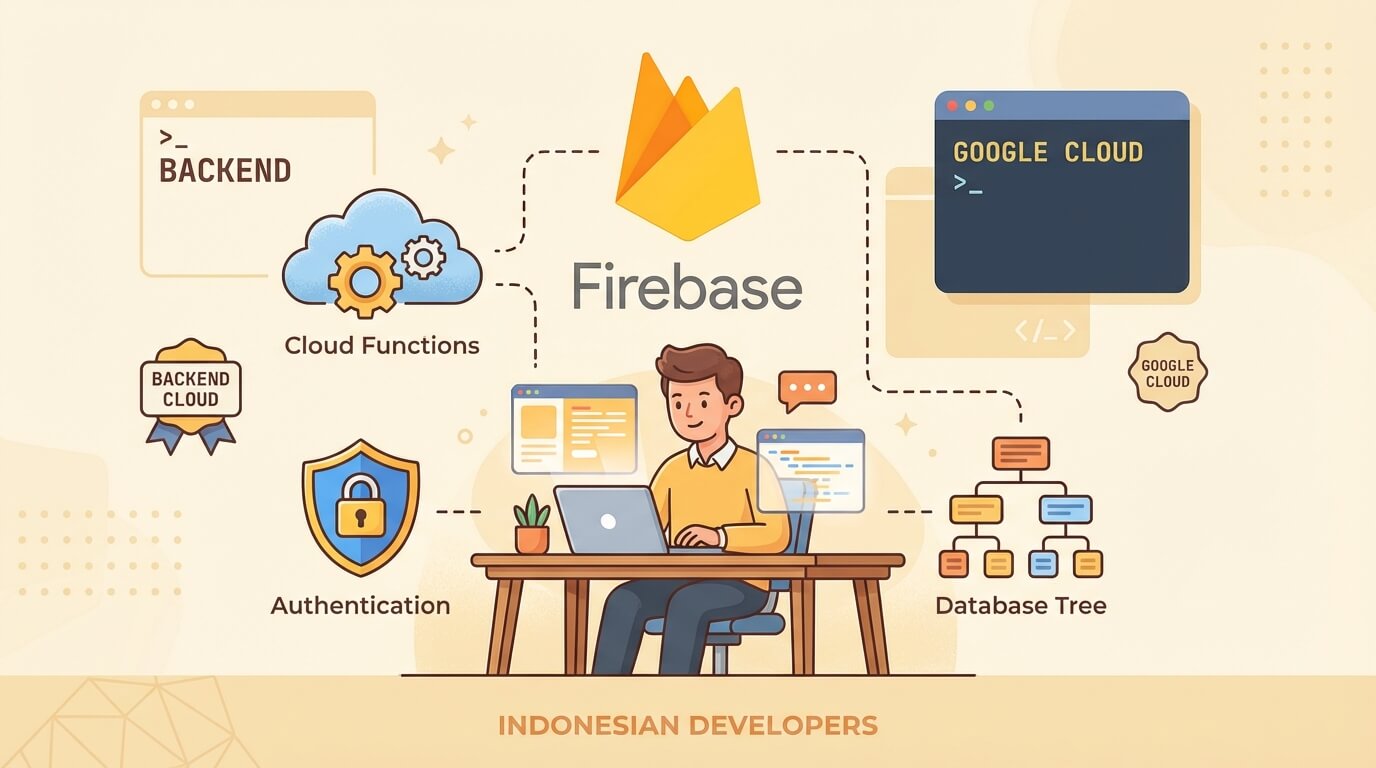
Firebase adalah platform development dari Google yang menyediakan berbagai services:
- Authentication - Login dengan email, Google, phone, dan provider lainnya
- Cloud Firestore - NoSQL database dengan realtime sync
- Realtime Database - Legacy database, masih berguna untuk use case tertentu
- Cloud Storage - Object storage untuk files dan media
- Cloud Functions - Serverless backend logic
- Hosting - CDN hosting untuk web apps
- Analytics - User behavior tracking
- Crashlytics - Error monitoring
- Remote Config - Feature flags dan A/B testing
Yang bikin Firebase powerful adalah integrasi seamless antar services dan SDK yang mature untuk berbagai platform (Web, iOS, Android, Flutter).
Setup Project Firebase
1. Buat Project di Firebase Console
- Pergi ke console.firebase.google.com
- Klik “Add Project”
- Masukkan nama project
- Pilih apakah mau enable Google Analytics (recommended)
- Tunggu beberapa detik sampai project ready
2. Tambahkan App ke Project
Klik icon web (</>) di project overview untuk register web app:
- Masukkan nama app
- Centang “Also set up Firebase Hosting” kalau mau
- Copy config yang muncul
3. Install Firebase SDK
npm install firebase4. Initialize Firebase
// lib/firebase.js
import { initializeApp } from 'firebase/app';
import { getAuth } from 'firebase/auth';
import { getFirestore } from 'firebase/firestore';
import { getStorage } from 'firebase/storage';

const firebaseConfig = {
  apiKey: process.env.NEXT_PUBLIC_FIREBASE_API_KEY,
  authDomain: process.env.NEXT_PUBLIC_FIREBASE_AUTH_DOMAIN,
  projectId: process.env.NEXT_PUBLIC_FIREBASE_PROJECT_ID,
  storageBucket: process.env.NEXT_PUBLIC_FIREBASE_STORAGE_BUCKET,
  messagingSenderId: process.env.NEXT_PUBLIC_FIREBASE_MESSAGING_SENDER_ID,
  appId: process.env.NEXT_PUBLIC_FIREBASE_APP_ID,
};

const app = initializeApp(firebaseConfig);

export const auth = getAuth(app);
export const db = getFirestore(app);
export const storage = getStorage(app);
export default app;
# .env.local
NEXT_PUBLIC_FIREBASE_API_KEY=AIzaxxxxxxxx
NEXT_PUBLIC_FIREBASE_AUTH_DOMAIN=yourapp.firebaseapp.com
NEXT_PUBLIC_FIREBASE_PROJECT_ID=your-project-id
NEXT_PUBLIC_FIREBASE_STORAGE_BUCKET=yourapp.appspot.com
NEXT_PUBLIC_FIREBASE_MESSAGING_SENDER_ID=123456789
NEXT_PUBLIC_FIREBASE_APP_ID=1:123456789:web:abcdefNote: Firebase API Key aman di-expose ke client karena dibatasi oleh Security Rules. Yang penting jangan expose service account credentials.
Authentication
Firebase Auth support banyak metode autentikasi. Semua udah built-in, tinggal enable di console.
Email/Password
Enable di Firebase Console > Authentication > Sign-in method > Email/Password.
import {
  createUserWithEmailAndPassword,
  signInWithEmailAndPassword,
  signOut,
  onAuthStateChanged
} from 'firebase/auth';
import { auth } from '@/lib/firebase';

// Sign Up
async function signUp(email, password) {
  try {
    const userCredential = await createUserWithEmailAndPassword(auth, email, password);
    console.log('User created:', userCredential.user);
    return userCredential.user;
  } catch (error) {
    console.error('Sign up error:', error.message);
    throw error;
  }
}

// Sign In
async function signIn(email, password) {
  try {
    const userCredential = await signInWithEmailAndPassword(auth, email, password);
    console.log('User signed in:', userCredential.user);
    return userCredential.user;
  } catch (error) {
    console.error('Sign in error:', error.message);
    throw error;
  }
}

// Sign Out
async function logOut() {
  await signOut(auth);
}

// Listen to Auth State
onAuthStateChanged(auth, (user) => {
  if (user) {
    console.log('User is signed in:', user.uid);
  } else {
    console.log('User is signed out');
  }
});
Google Sign-In
Enable Google provider di Firebase Console, lalu:
import { GoogleAuthProvider, signInWithPopup, signInWithRedirect } from 'firebase/auth';
import { auth } from '@/lib/firebase';

const googleProvider = new GoogleAuthProvider();

// Sign in with popup (desktop-friendly)
async function signInWithGoogle() {
  try {
    const result = await signInWithPopup(auth, googleProvider);
    const user = result.user;
    console.log('Google sign in success:', user.displayName);
    return user;
  } catch (error) {
    console.error('Google sign in error:', error.message);
    throw error;
  }
}

// Sign in with redirect (mobile-friendly)
async function signInWithGoogleRedirect() {
  await signInWithRedirect(auth, googleProvider);
}
Phone Authentication
Enable Phone provider di Firebase Console. Untuk development, tambahkan test phone numbers.
import {
  RecaptchaVerifier,
  signInWithPhoneNumber
} from 'firebase/auth';
import { auth } from '@/lib/firebase';

// Setup reCAPTCHA verifier
function setupRecaptcha(buttonId) {
  window.recaptchaVerifier = new RecaptchaVerifier(auth, buttonId, {
    size: 'invisible',
    callback: () => {
      console.log('reCAPTCHA verified');
    },
  });
}

// Send OTP
async function sendOTP(phoneNumber) {
  setupRecaptcha('sign-in-button');
  const appVerifier = window.recaptchaVerifier;

  try {
    const confirmationResult = await signInWithPhoneNumber(auth, phoneNumber, appVerifier);
    window.confirmationResult = confirmationResult;
    console.log('OTP sent!');
  } catch (error) {
    console.error('Error sending OTP:', error.message);
    throw error;
  }
}

// Verify OTP
async function verifyOTP(code) {
  try {
    const result = await window.confirmationResult.confirm(code);
    console.log('Phone auth success:', result.user);
    return result.user;
  } catch (error) {
    console.error('Invalid OTP:', error.message);
    throw error;
  }
}
Auth State dengan React Hook
// hooks/useAuth.js
import { useState, useEffect } from 'react';
import { onAuthStateChanged } from 'firebase/auth';
import { auth } from '@/lib/firebase';

export function useAuth() {
  const [user, setUser] = useState(null);
  const [loading, setLoading] = useState(true);

  useEffect(() => {
    const unsubscribe = onAuthStateChanged(auth, (user) => {
      setUser(user);
      setLoading(false);
    });

    return () => unsubscribe();
  }, []);

  return { user, loading };
}
Cloud Firestore
Firestore adalah NoSQL document database yang scalable dan support realtime sync. Ini adalah database utama yang recommended untuk most use cases.
Struktur Data
Firestore punya hierarchy: Collections > Documents > Subcollections
users (collection)
  └── userId1 (document)
        ├── name: "Budi"
        ├── email: "[email protected]"
        └── posts (subcollection)
              └── postId1 (document)
                    ├── title: "Hello World"
                    └── content: "..."
CRUD Operations
import {
  collection,
  doc,
  addDoc,
  setDoc,
  getDoc,
  getDocs,
  updateDoc,
  deleteDoc,
  query,
  where,
  orderBy,
  limit,
  serverTimestamp
} from 'firebase/firestore';
import { db } from '@/lib/firebase';

// CREATE - Add document with auto-generated ID
async function createPost(data) {
  const docRef = await addDoc(collection(db, 'posts'), {
    ...data,
    createdAt: serverTimestamp(),
    updatedAt: serverTimestamp(),
  });
  console.log('Document written with ID:', docRef.id);
  return docRef.id;
}

// CREATE - Set document with custom ID
async function createUser(userId, data) {
  await setDoc(doc(db, 'users', userId), {
    ...data,
    createdAt: serverTimestamp(),
  });
}

// READ - Get single document
async function getPost(postId) {
  const docSnap = await getDoc(doc(db, 'posts', postId));

  if (docSnap.exists()) {
    return { id: docSnap.id, ...docSnap.data() };
  } else {
    console.log('No such document!');
    return null;
  }
}

// READ - Get all documents in collection
async function getAllPosts() {
  const querySnapshot = await getDocs(collection(db, 'posts'));
  return querySnapshot.docs.map(doc => ({
    id: doc.id,
    ...doc.data(),
  }));
}

// UPDATE - Update specific fields
async function updatePost(postId, data) {
  await updateDoc(doc(db, 'posts', postId), {
    ...data,
    updatedAt: serverTimestamp(),
  });
}

// DELETE
async function deletePost(postId) {
  await deleteDoc(doc(db, 'posts', postId));
}
Queries
Firestore support berbagai query operators:
// Query dengan where clause
async function getPublishedPosts() {
  const q = query(
    collection(db, 'posts'),
    where('published', '==', true),
    orderBy('createdAt', 'desc'),
    limit(10)
  );

  const querySnapshot = await getDocs(q);
  return querySnapshot.docs.map(doc => ({
    id: doc.id,
    ...doc.data(),
  }));
}

// Multiple where clauses
async function getUserPublishedPosts(userId) {
  const q = query(
    collection(db, 'posts'),
    where('userId', '==', userId),
    where('published', '==', true),
    orderBy('createdAt', 'desc')
  );

  const querySnapshot = await getDocs(q);
  return querySnapshot.docs.map(doc => ({
    id: doc.id,
    ...doc.data(),
  }));
}

// Array contains
async function getPostsByTag(tag) {
  const q = query(
    collection(db, 'posts'),
    where('tags', 'array-contains', tag)
  );

  const querySnapshot = await getDocs(q);
  return querySnapshot.docs.map(doc => ({
    id: doc.id,
    ...doc.data(),
  }));
}

// In operator - match any of the values
async function getPostsByAuthors(authorIds) {
  const q = query(
    collection(db, 'posts'),
    where('authorId', 'in', authorIds) // Max 10 values
  );

  const querySnapshot = await getDocs(q);
  return querySnapshot.docs.map(doc => ({
    id: doc.id,
    ...doc.data(),
  }));
}
Realtime Listeners
Ini yang bikin Firestore powerful—subscribe ke changes secara realtime:
import { onSnapshot } from 'firebase/firestore';

// Listen to single document
function subscribeToPost(postId, callback) {
  const unsubscribe = onSnapshot(doc(db, 'posts', postId), (doc) => {
    if (doc.exists()) {
      callback({ id: doc.id, ...doc.data() });
    }
  });

  return unsubscribe; // Call this to stop listening
}

// Listen to query results
function subscribeToPublishedPosts(callback) {
  const q = query(
    collection(db, 'posts'),
    where('published', '==', true),
    orderBy('createdAt', 'desc')
  );

  const unsubscribe = onSnapshot(q, (querySnapshot) => {
    const posts = querySnapshot.docs.map(doc => ({
      id: doc.id,
      ...doc.data(),
    }));
    callback(posts);
  });

  return unsubscribe;
}

// React hook untuk realtime data
function usePosts() {
  const [posts, setPosts] = useState([]);
  const [loading, setLoading] = useState(true);

  useEffect(() => {
    const q = query(
      collection(db, 'posts'),
      where('published', '==', true),
      orderBy('createdAt', 'desc')
    );

    const unsubscribe = onSnapshot(q, (snapshot) => {
      const data = snapshot.docs.map(doc => ({
        id: doc.id,
        ...doc.data(),
      }));
      setPosts(data);
      setLoading(false);
    });

    return () => unsubscribe();
  }, []);

  return { posts, loading };
}
Batch Writes dan Transactions
import { writeBatch, runTransaction } from 'firebase/firestore';

// Batch write - multiple operations atomically
async function batchUpdate(updates) {
  const batch = writeBatch(db);

  updates.forEach(({ id, data }) => {
    const docRef = doc(db, 'posts', id);
    batch.update(docRef, data);
  });

  await batch.commit();
}

// Transaction - read-then-write atomically
async function incrementLikeCount(postId) {
  await runTransaction(db, async (transaction) => {
    const postRef = doc(db, 'posts', postId);
    const postDoc = await transaction.get(postRef);

    if (!postDoc.exists()) {
      throw new Error('Post does not exist!');
    }

    const newLikeCount = (postDoc.data().likeCount || 0) + 1;
    transaction.update(postRef, { likeCount: newLikeCount });
  });
}
Cloud Storage
Firebase Storage untuk upload dan manage files seperti images, videos, documents.
Upload Files
import {
  ref,
  uploadBytes,
  uploadBytesResumable,
  getDownloadURL,
  deleteObject
} from 'firebase/storage';
import { storage } from '@/lib/firebase';

// Simple upload
async function uploadFile(file, path) {
  const storageRef = ref(storage, path);
  const snapshot = await uploadBytes(storageRef, file);
  const downloadURL = await getDownloadURL(snapshot.ref);
  return downloadURL;
}

// Upload dengan progress tracking
function uploadFileWithProgress(file, path, onProgress) {
  return new Promise((resolve, reject) => {
    const storageRef = ref(storage, path);
    const uploadTask = uploadBytesResumable(storageRef, file);

    uploadTask.on('state_changed',
      (snapshot) => {
        const progress = (snapshot.bytesTransferred / snapshot.totalBytes) * 100;
        onProgress(progress);
      },
      (error) => {
        reject(error);
      },
      async () => {
        const downloadURL = await getDownloadURL(uploadTask.snapshot.ref);
        resolve(downloadURL);
      }
    );
  });
}

// Delete file
async function deleteFile(path) {
  const storageRef = ref(storage, path);
  await deleteObject(storageRef);
}
Upload Avatar Example
async function uploadAvatar(userId, file) {
  // Validate file
  if (!file.type.startsWith('image/')) {
    throw new Error('File must be an image');
  }

  if (file.size > 5 * 1024 * 1024) { // 5MB limit
    throw new Error('File size must be less than 5MB');
  }

  // Create unique filename
  const extension = file.name.split('.').pop();
  const filename = `avatars/${userId}/avatar.${extension}`;

  // Upload
  const downloadURL = await uploadFile(file, filename);

  // Update user profile
  await updateDoc(doc(db, 'users', userId), {
    avatarURL: downloadURL,
  });

  return downloadURL;
}
Cloud Functions
Cloud Functions untuk server-side logic. Cocok untuk webhooks, background processing, atau sensitive operations.
Setup Cloud Functions
npm install -g firebase-tools
firebase login
firebase init functions
Pilih TypeScript atau JavaScript, lalu install dependencies.
Function Examples
// functions/src/index.ts
import * as functions from 'firebase-functions';
import * as admin from 'firebase-admin';

admin.initializeApp();
const db = admin.firestore();

// HTTP Function
export const helloWorld = functions.https.onRequest((req, res) => {
  res.json({ message: 'Hello from Firebase!' });
});

// Firestore Trigger - on document create
export const onUserCreated = functions.firestore
  .document('users/{userId}')
  .onCreate(async (snap, context) => {
    const user = snap.data();
    const userId = context.params.userId;

    // Send welcome email, create default data, etc.
    await db.collection('notifications').add({
      userId,
      type: 'welcome',
      message: `Welcome ${user.name}!`,
      createdAt: admin.firestore.FieldValue.serverTimestamp(),
    });
  });

// Firestore Trigger - on document update
export const onPostUpdated = functions.firestore
  .document('posts/{postId}')
  .onUpdate(async (change, context) => {
    const before = change.before.data();
    const after = change.after.data();

    // Check if post was just published
    if (!before.published && after.published) {
      // Send notifications to followers
      console.log('Post published:', context.params.postId);
    }
  });

// Auth Trigger - on user create
export const onAuthUserCreated = functions.auth.user().onCreate(async (user) => {
  // Create user profile in Firestore
  await db.collection('users').doc(user.uid).set({
    email: user.email,
    displayName: user.displayName || '',
    photoURL: user.photoURL || '',
    createdAt: admin.firestore.FieldValue.serverTimestamp(),
  });
});

// Scheduled Function (Cron)
export const dailyCleanup = functions.pubsub
  .schedule('every 24 hours')
  .onRun(async (context) => {
    // Delete old notifications
    const thirtyDaysAgo = new Date();
    thirtyDaysAgo.setDate(thirtyDaysAgo.getDate() - 30);

    const oldNotifications = await db
      .collection('notifications')
      .where('createdAt', '<', thirtyDaysAgo)
      .get();

    const batch = db.batch();
    oldNotifications.docs.forEach(doc => batch.delete(doc.ref));
    await batch.commit();

    console.log(`Deleted ${oldNotifications.size} old notifications`);
  });

// Callable Function (called from client SDK)
export const processPayment = functions.https.onCall(async (data, context) => {
  // Check authentication
  if (!context.auth) {
    throw new functions.https.HttpsError('unauthenticated', 'User must be logged in');
  }

  const { amount, currency } = data;

  // Process payment logic here
  // ...

  return { success: true, transactionId: 'xxx' };
});
Deploy Functions
firebase deploy --only functionsCall Callable Function from Client
import { getFunctions, httpsCallable } from 'firebase/functions';

const functions = getFunctions();
const processPayment = httpsCallable(functions, 'processPayment');

async function handlePayment() {
  try {
    const result = await processPayment({ amount: 100000, currency: 'IDR' });
    console.log('Payment result:', result.data);
  } catch (error) {
    console.error('Payment error:', error.message);
  }
}
Firebase Hosting
Hosting untuk deploy web apps dengan CDN global.
Setup Hosting
firebase init hostingPilih public directory (biasanya out untuk Next.js static export atau dist untuk Vite).
Deploy
# Build project
npm run build

# Deploy
firebase deploy --only hosting
Custom Domain
- Buka Firebase Console > Hosting
- Klik “Add custom domain”
- Ikuti instruksi untuk verify domain
- Update DNS records sesuai instruksi
- Tunggu SSL certificate provisioning (biasanya beberapa menit)
Security Rules
Security Rules adalah firewall untuk Firestore dan Storage. Ini WAJIB di-configure untuk production.
Firestore Rules
// firestore.rules
rules_version = '2';
service cloud.firestore {
  match /databases/{database}/documents {

    // Helper functions
    function isAuthenticated() {
      return request.auth != null;
    }

    function isOwner(userId) {
      return request.auth.uid == userId;
    }

    function isValidPost() {
      return request.resource.data.keys().hasAll(['title', 'content', 'userId'])
        && request.resource.data.title is string
        && request.resource.data.title.size() > 0
        && request.resource.data.title.size() <= 200;
    }

    // Users collection
    match /users/{userId} {
      allow read: if true; // Public profiles
      allow create: if isAuthenticated() && isOwner(userId);
      allow update: if isOwner(userId);
      allow delete: if false; // Prevent accidental deletion
    }

    // Posts collection
    match /posts/{postId} {
      allow read: if resource.data.published == true || isOwner(resource.data.userId);
      allow create: if isAuthenticated()
        && isOwner(request.resource.data.userId)
        && isValidPost();
      allow update: if isOwner(resource.data.userId);
      allow delete: if isOwner(resource.data.userId);
    }

    // Comments subcollection
    match /posts/{postId}/comments/{commentId} {
      allow read: if true;
      allow create: if isAuthenticated();
      allow update, delete: if isOwner(resource.data.userId);
    }
  }
}
Storage Rules
// storage.rules
rules_version = '2';
service firebase.storage {
  match /b/{bucket}/o {

    // Avatars - user can only access their own
    match /avatars/{userId}/{fileName} {
      allow read: if true; // Public avatars
      allow write: if request.auth.uid == userId
        && request.resource.size < 5 * 1024 * 1024 // Max 5MB
        && request.resource.contentType.matches('image/.*');
    }

    // Post images
    match /posts/{postId}/{fileName} {
      allow read: if true;
      allow write: if request.auth != null
        && request.resource.size < 10 * 1024 * 1024 // Max 10MB
        && request.resource.contentType.matches('image/.*');
    }

    // Private documents
    match /documents/{userId}/{fileName} {
      allow read, write: if request.auth.uid == userId;
    }
  }
}
Deploy Rules
firebase deploy --only firestore:rules
firebase deploy --only storage:rules
Integrasi dengan React/Next.js
Context Provider Pattern
// context/AuthContext.js
import { createContext, useContext, useEffect, useState } from 'react';
import { onAuthStateChanged } from 'firebase/auth';
import { doc, getDoc } from 'firebase/firestore';
import { auth, db } from '@/lib/firebase';

const AuthContext = createContext({});

export function AuthProvider({ children }) {
  const [user, setUser] = useState(null);
  const [userProfile, setUserProfile] = useState(null);
  const [loading, setLoading] = useState(true);

  useEffect(() => {
    const unsubscribe = onAuthStateChanged(auth, async (user) => {
      if (user) {
        setUser(user);

        // Fetch user profile from Firestore
        const profileDoc = await getDoc(doc(db, 'users', user.uid));
        if (profileDoc.exists()) {
          setUserProfile({ id: profileDoc.id, ...profileDoc.data() });
        }
      } else {
        setUser(null);
        setUserProfile(null);
      }
      setLoading(false);
    });

    return () => unsubscribe();
  }, []);

  return (
    <AuthContext.Provider value={{ user, userProfile, loading }}>
      {children}
    </AuthContext.Provider>
  );
}

export const useAuth = () => useContext(AuthContext);
Protected Route Component
// components/ProtectedRoute.js
import { useAuth } from '@/context/AuthContext';
import { useRouter } from 'next/navigation';
import { useEffect } from 'react';

export function ProtectedRoute({ children }) {
  const { user, loading } = useAuth();
  const router = useRouter();

  useEffect(() => {
    if (!loading && !user) {
      router.push('/login');
    }
  }, [user, loading, router]);

  if (loading) {
    return <div>Loading...</div>;
  }

  if (!user) {
    return null;
  }

  return children;
}
Data Fetching dengan SWR
// hooks/usePosts.js
import useSWR from 'swr';
import { collection, getDocs, query, where, orderBy } from 'firebase/firestore';
import { db } from '@/lib/firebase';

async function fetchPosts() {
  const q = query(
    collection(db, 'posts'),
    where('published', '==', true),
    orderBy('createdAt', 'desc')
  );

  const snapshot = await getDocs(q);
  return snapshot.docs.map(doc => ({
    id: doc.id,
    ...doc.data(),
  }));
}

export function usePosts() {
  const { data, error, isLoading, mutate } = useSWR('posts', fetchPosts);

  return {
    posts: data || [],
    isLoading,
    error,
    refresh: mutate,
  };
}
Tips Optimasi Pricing
Firebase punya free tier (Spark Plan) yang generous, tapi bisa mahal kalau nggak hati-hati. Berikut tips untuk optimize cost:
1. Minimalisir Reads
// ❌ Bad: Read semua field
const doc = await getDoc(doc(db, 'users', userId));
const name = doc.data().name;

// ✅ Good: Gunakan subcollection untuk data yang sering berubah
// atau pisahkan data yang jarang diakses ke dokumen terpisah
2. Gunakan Pagination
import { startAfter, limit } from 'firebase/firestore';

async function getPaginatedPosts(lastDoc, pageSize = 10) {
  let q = query(
    collection(db, 'posts'),
    orderBy('createdAt', 'desc'),
    limit(pageSize)
  );

  if (lastDoc) {
    q = query(q, startAfter(lastDoc));
  }

  const snapshot = await getDocs(q);
  return {
    posts: snapshot.docs.map(doc => ({ id: doc.id, ...doc.data() })),
    lastDoc: snapshot.docs[snapshot.docs.length - 1],
  };
}
3. Cache Data di Client
// Gunakan SWR atau React Query untuk caching
// Data nggak perlu di-fetch ulang setiap render
4. Optimasi Storage
- Compress images sebelum upload
- Delete files yang nggak terpakai
- Set lifecycle policies untuk auto-delete old files
5. Gunakan Blaze Plan untuk Production
Blaze Plan (pay-as-you-go) lebih fleksibel dan bisa set budget alerts.
Pricing Comparison
| Feature | Spark (Free) | Blaze (Pay-as-you-go) |
|---|---|---|
| Firestore Reads | 50K/day | $0.06/100K |
| Firestore Writes | 20K/day | $0.18/100K |
| Storage | 5GB | $0.026/GB |
| Hosting | 10GB/month | $0.15/GB |
| Functions Invocations | 125K/month | $0.40/million |
| Auth | Unlimited | Unlimited |
Firebase vs Supabase
Ini pertanyaan yang sering muncul. Keduanya punya kelebihan masing-masing:
Pilih Firebase kalau:
- Butuh ekosistem Google yang terintegrasi (Analytics, Crashlytics, A/B Testing)
- Target mobile-first (SDK lebih mature untuk iOS/Android)
- Prefer NoSQL dan familiar dengan document-based database
- Butuh fitur seperti Remote Config, Dynamic Links
- Tim udah familiar dengan Firebase
Pilih Supabase kalau:
- Prefer SQL dan relational database (PostgreSQL)
- Butuh full database access dan complex queries
- Mau opsi self-hosting
- Concern tentang vendor lock-in
- Butuh features seperti Row Level Security yang lebih granular
Feature Comparison
| Feature | Firebase | Supabase |
|---|---|---|
| Database | NoSQL (Firestore) | PostgreSQL |
| Realtime | Yes | Yes |
| Auth | Built-in | Built-in |
| Storage | Yes | Yes |
| Functions | Cloud Functions | Edge Functions (Deno) |
| Pricing | Pay-as-you-go | Free tier + Pro |
| Self-host | No | Yes |
| Vendor lock-in | Higher | Lower |
| Mobile SDK | Excellent | Good |
| Open source | No | Yes |
Honestly, keduanya solid choices. Pilih berdasarkan kebutuhan project dan preferensi tim.
Best Practices
1. Struktur Data yang Baik
// ❌ Bad: Nested data yang dalam
{
  user: {
    posts: {
      post1: {
        comments: { ... }
      }
    }
  }
}

// ✅ Good: Flat structure dengan references
// users/{userId}
// posts/{postId} dengan field userId
// comments/{commentId} dengan field postId
2. Index Firestore Queries
Firestore akan error kalau query butuh composite index yang belum ada. Klik link di error message untuk auto-create index.
3. Handle Offline Mode
import { enableIndexedDbPersistence } from 'firebase/firestore';

// Enable offline persistence
enableIndexedDbPersistence(db).catch((err) => {
  if (err.code === 'failed-precondition') {
    console.log('Multiple tabs open');
  } else if (err.code === 'unimplemented') {
    console.log('Browser doesn\'t support persistence');
  }
});
4. Error Handling yang Proper
async function fetchData() {
  try {
    const data = await getDoc(doc(db, 'posts', postId));
    if (!data.exists()) {
      throw new Error('Post not found');
    }
    return data.data();
  } catch (error) {
    // Log untuk debugging
    console.error('Fetch error:', error);

    // Return user-friendly error
    if (error.code === 'permission-denied') {
      throw new Error('Kamu tidak punya akses ke data ini');
    }
    throw new Error('Gagal mengambil data. Coba lagi nanti.');
  }
}
5. Environment Variables
Jangan hardcode config. Gunakan environment variables dan jangan commit .env ke git.
Kesimpulan
Firebase adalah platform yang powerful untuk rapid development. Dengan ekosistem yang lengkap dari Google, kamu bisa fokus ke building features daripada setup infrastructure.
Key takeaways:
- Authentication - Multiple providers, easy to implement
- Firestore - Flexible NoSQL dengan realtime sync
- Cloud Functions - Serverless backend logic
- Security Rules - Wajib di-configure untuk production
- Pricing - Gratis untuk start, tapi perlu dimonitor
Start dengan free tier untuk learning dan prototyping. Upgrade ke Blaze Plan kalau udah ready untuk production dan butuh more resources.
Dokumentasi Firebase sangat lengkap di firebase.google.com/docs. Happy building!