PWA (Progressive Web App): Panduan Implementasi
Senin, 29 Des 2025
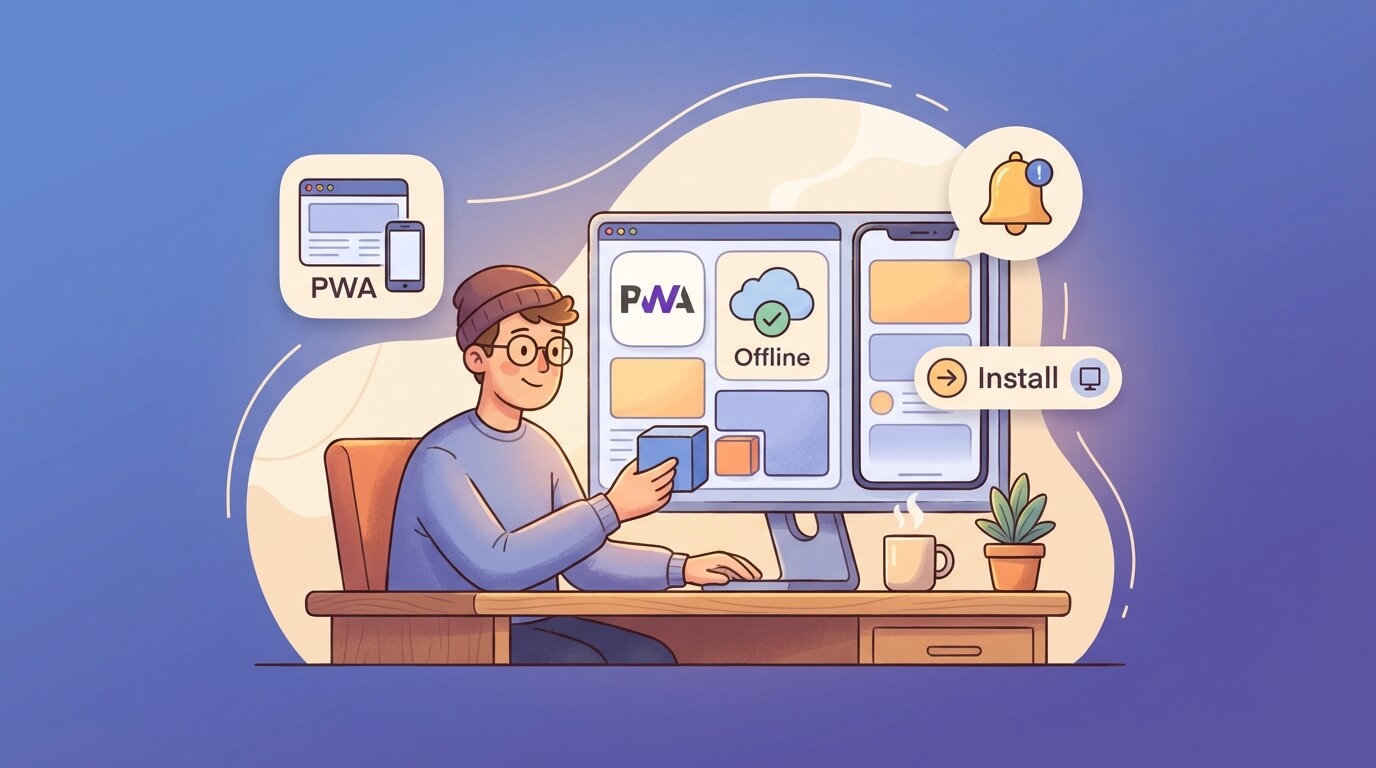
Progressive Web App (PWA) adalah teknologi yang memungkinkan web app kamu berjalan seperti native app. User bisa install langsung dari browser, akses offline, dan dapat push notifications. Di 2025, PWA makin relevan karena semakin banyak bisnis yang butuh solusi cross-platform tanpa develop separate apps.
Kenapa PWA?
Sebelum masuk ke implementasi, ini alasan kenapa PWA worth it:
- Satu codebase untuk semua platform - Web, Android, iOS dari satu project
- Installable - User bisa “Add to Home Screen” tanpa app store
- Offline-capable - Tetap bisa diakses tanpa internet
- Push notifications - Engage user seperti native app
- Auto-update - Gak perlu manual update via app store
- Lebih ringan - Size jauh lebih kecil dari native app
- SEO-friendly - Tetap indexable oleh search engine
Core PWA Technologies
PWA dibangun di atas 3 teknologi utama:
┌─────────────────────────────────────────┐
│           Progressive Web App            │
├─────────────────────────────────────────┤
│  1. Web App Manifest (manifest.json)    │
│  2. Service Workers (sw.js)             │
│  3. HTTPS (secure origin)               │
└─────────────────────────────────────────┘
Mari kita bahas satu per satu.
1. Web App Manifest
Manifest adalah file JSON yang memberitahu browser tentang PWA kamu. File ini mendefinisikan nama, icon, theme, dan behavior saat di-install.
Buat manifest.json
Letakkan di public/manifest.json:
{
  "name": "My Awesome PWA",
  "short_name": "MyPWA",
  "description": "Aplikasi keren yang bisa diakses offline",
  "start_url": "/",
  "display": "standalone",
  "background_color": "#0a0a0a",
  "theme_color": "#a855f7",
  "orientation": "portrait-primary",
  "scope": "/",
  "icons": [
    {
      "src": "/icons/icon-72x72.png",
      "sizes": "72x72",
      "type": "image/png",
      "purpose": "maskable any"
    },
    {
      "src": "/icons/icon-96x96.png",
      "sizes": "96x96",
      "type": "image/png",
      "purpose": "maskable any"
    },
    {
      "src": "/icons/icon-128x128.png",
      "sizes": "128x128",
      "type": "image/png",
      "purpose": "maskable any"
    },
    {
      "src": "/icons/icon-144x144.png",
      "sizes": "144x144",
      "type": "image/png",
      "purpose": "maskable any"
    },
    {
      "src": "/icons/icon-152x152.png",
      "sizes": "152x152",
      "type": "image/png",
      "purpose": "maskable any"
    },
    {
      "src": "/icons/icon-192x192.png",
      "sizes": "192x192",
      "type": "image/png",
      "purpose": "maskable any"
    },
    {
      "src": "/icons/icon-384x384.png",
      "sizes": "384x384",
      "type": "image/png",
      "purpose": "maskable any"
    },
    {
      "src": "/icons/icon-512x512.png",
      "sizes": "512x512",
      "type": "image/png",
      "purpose": "maskable any"
    }
  ],
  "screenshots": [
    {
      "src": "/screenshots/desktop.png",
      "sizes": "1280x720",
      "type": "image/png",
      "form_factor": "wide"
    },
    {
      "src": "/screenshots/mobile.png",
      "sizes": "640x1136",
      "type": "image/png",
      "form_factor": "narrow"
    }
  ],
  "shortcuts": [
    {
      "name": "Dashboard",
      "short_name": "Dashboard",
      "url": "/dashboard",
      "icons": [{ "src": "/icons/dashboard.png", "sizes": "192x192" }]
    },
    {
      "name": "Settings",
      "short_name": "Settings",
      "url": "/settings",
      "icons": [{ "src": "/icons/settings.png", "sizes": "192x192" }]
    }
  ],
  "categories": ["productivity", "utilities"],
  "lang": "id-ID",
  "dir": "ltr"
}
Link Manifest di HTML
<head>
  <link rel="manifest" href="/manifest.json" />
  <meta name="theme-color" content="#a855f7" />

  <!-- iOS specific -->
  <meta name="apple-mobile-web-app-capable" content="yes" />
  <meta name="apple-mobile-web-app-status-bar-style" content="black-translucent" />
  <meta name="apple-mobile-web-app-title" content="MyPWA" />
  <link rel="apple-touch-icon" href="/icons/icon-152x152.png" />

  <!-- Splash screens untuk iOS -->
  <link rel="apple-touch-startup-image" href="/splash/apple-splash-2048-2732.png"
        media="(device-width: 1024px) and (device-height: 1366px)" />
</head>
Display Modes
Ada beberapa opsi untuk display:
| Mode | Deskripsi |
|---|---|
fullscreen | Full layar, tanpa UI browser sama sekali |
standalone | Seperti native app, ada status bar tapi tanpa address bar |
minimal-ui | Standalone + navigasi minimal (back, reload) |
browser | Browser biasa |
Untuk kebanyakan kasus, standalone adalah pilihan terbaik.
2. Service Workers
Service Worker adalah JavaScript yang berjalan di background, terpisah dari main thread. Ini yang bikin PWA bisa offline, intercept network requests, dan handle push notifications.
Lifecycle Service Worker
┌──────────────┐    ┌──────────────┐    ┌──────────────┐
│   Register   │ => │   Install    │ => │   Activate   │
└──────────────┘    └──────────────┘    └──────────────┘
                           │                    │
                           ▼                    ▼
                    Cache assets         Claim clients
                                         Clean old cache
Basic Service Worker
Buat public/sw.js:
const CACHE_NAME = 'my-pwa-v1';
const STATIC_ASSETS = [
  '/',
  '/offline.html',
  '/css/style.css',
  '/js/app.js',
  '/icons/icon-192x192.png'
];

// Install event - cache static assets
self.addEventListener('install', (event) => {
  console.log('Service Worker: Installing...');

  event.waitUntil(
    caches.open(CACHE_NAME)
      .then((cache) => {
        console.log('Service Worker: Caching static assets');
        return cache.addAll(STATIC_ASSETS);
      })
      .then(() => {
        // Skip waiting untuk langsung aktif
        return self.skipWaiting();
      })
  );
});

// Activate event - cleanup old caches
self.addEventListener('activate', (event) => {
  console.log('Service Worker: Activating...');

  event.waitUntil(
    caches.keys().then((cacheNames) => {
      return Promise.all(
        cacheNames
          .filter((name) => name !== CACHE_NAME)
          .map((name) => {
            console.log('Service Worker: Deleting old cache:', name);
            return caches.delete(name);
          })
      );
    }).then(() => {
      // Claim semua clients
      return self.clients.claim();
    })
  );
});

// Fetch event - intercept requests
self.addEventListener('fetch', (event) => {
  event.respondWith(
    caches.match(event.request)
      .then((cachedResponse) => {
        // Return cached version atau fetch dari network
        return cachedResponse || fetch(event.request);
      })
      .catch(() => {
        // Fallback ke offline page untuk navigation requests
        if (event.request.mode === 'navigate') {
          return caches.match('/offline.html');
        }
      })
  );
});
Register Service Worker
Di main JavaScript file atau component:
// register-sw.js
if ('serviceWorker' in navigator) {
  window.addEventListener('load', async () => {
    try {
      const registration = await navigator.serviceWorker.register('/sw.js', {
        scope: '/'
      });

      console.log('SW registered:', registration.scope);

      // Check for updates
      registration.addEventListener('updatefound', () => {
        const newWorker = registration.installing;

        newWorker.addEventListener('statechange', () => {
          if (newWorker.state === 'installed' && navigator.serviceWorker.controller) {
            // New version available
            showUpdateNotification();
          }
        });
      });
    } catch (error) {
      console.error('SW registration failed:', error);
    }
  });
}

function showUpdateNotification() {
  // Tampilkan UI untuk reload
  const updateBanner = document.createElement('div');
  updateBanner.innerHTML = `
    <div class="update-banner">
      <p>Update tersedia!</p>
      <button onclick="window.location.reload()">Refresh</button>
    </div>
  `;
  document.body.appendChild(updateBanner);
}
3. Caching Strategies
Strategi caching menentukan bagaimana PWA handle requests. Pilih berdasarkan jenis content.
Cache First (Cache Falling Back to Network)
Best untuk: Static assets (CSS, JS, images, fonts)
self.addEventListener('fetch', (event) => {
  event.respondWith(
    caches.match(event.request)
      .then((cachedResponse) => {
        if (cachedResponse) {
          return cachedResponse;
        }

        return fetch(event.request).then((response) => {
          // Clone response karena bisa dibaca sekali
          const responseClone = response.clone();

          caches.open(CACHE_NAME).then((cache) => {
            cache.put(event.request, responseClone);
          });

          return response;
        });
      })
  );
});
Network First (Network Falling Back to Cache)
Best untuk: API calls, dynamic content yang harus fresh
self.addEventListener('fetch', (event) => {
  event.respondWith(
    fetch(event.request)
      .then((response) => {
        // Cache the fresh response
        const responseClone = response.clone();
        caches.open(CACHE_NAME).then((cache) => {
          cache.put(event.request, responseClone);
        });
        return response;
      })
      .catch(() => {
        // Network failed, fallback to cache
        return caches.match(event.request);
      })
  );
});
Stale While Revalidate
Best untuk: Content yang boleh stale sebentar (news feed, social posts)
self.addEventListener('fetch', (event) => {
  event.respondWith(
    caches.open(CACHE_NAME).then((cache) => {
      return cache.match(event.request).then((cachedResponse) => {
        const fetchPromise = fetch(event.request).then((networkResponse) => {
          cache.put(event.request, networkResponse.clone());
          return networkResponse;
        });

        // Return cached version immediately, update in background
        return cachedResponse || fetchPromise;
      });
    })
  );
});
Strategy Router
Implementasi yang lebih advanced dengan routing:
// sw.js dengan strategy router
const strategies = {
  cacheFirst: async (request, cacheName) => {
    const cache = await caches.open(cacheName);
    const cached = await cache.match(request);
    if (cached) return cached;

    const response = await fetch(request);
    cache.put(request, response.clone());
    return response;
  },

  networkFirst: async (request, cacheName, timeout = 3000) => {
    const cache = await caches.open(cacheName);

    try {
      const controller = new AbortController();
      const timeoutId = setTimeout(() => controller.abort(), timeout);

      const response = await fetch(request, { signal: controller.signal });
      clearTimeout(timeoutId);

      cache.put(request, response.clone());
      return response;
    } catch {
      return cache.match(request);
    }
  },

  staleWhileRevalidate: async (request, cacheName) => {
    const cache = await caches.open(cacheName);
    const cached = await cache.match(request);

    const fetchPromise = fetch(request).then((response) => {
      cache.put(request, response.clone());
      return response;
    });

    return cached || fetchPromise;
  }
};

self.addEventListener('fetch', (event) => {
  const { request } = event;
  const url = new URL(request.url);

  // Static assets - Cache First
  if (request.destination === 'style' ||
      request.destination === 'script' ||
      request.destination === 'image') {
    event.respondWith(strategies.cacheFirst(request, 'static-v1'));
    return;
  }

  // API calls - Network First
  if (url.pathname.startsWith('/api/')) {
    event.respondWith(strategies.networkFirst(request, 'api-v1'));
    return;
  }

  // HTML pages - Stale While Revalidate
  if (request.mode === 'navigate') {
    event.respondWith(strategies.staleWhileRevalidate(request, 'pages-v1'));
    return;
  }
});
4. Offline Functionality
Buat halaman offline yang user-friendly:
<!-- public/offline.html -->
<!DOCTYPE html>
<html lang="id">
<head>
  <meta charset="UTF-8">
  <meta name="viewport" content="width=device-width, initial-scale=1.0">
  <title>Offline - MyPWA</title>
  <style>
    * {
      margin: 0;
      padding: 0;
      box-sizing: border-box;
    }

    body {
      font-family: -apple-system, BlinkMacSystemFont, 'Segoe UI', Roboto, sans-serif;
      background: linear-gradient(135deg, #0a0a0a 0%, #1a1a2e 100%);
      min-height: 100vh;
      display: flex;
      align-items: center;
      justify-content: center;
      color: #fff;
    }

    .container {
      text-align: center;
      padding: 2rem;
    }

    .icon {
      font-size: 4rem;
      margin-bottom: 1rem;
    }

    h1 {
      font-size: 1.5rem;
      margin-bottom: 0.5rem;
    }

    p {
      color: #888;
      margin-bottom: 1.5rem;
    }

    button {
      background: linear-gradient(135deg, #a855f7, #3b82f6);
      border: none;
      padding: 0.75rem 2rem;
      border-radius: 8px;
      color: white;
      font-weight: 600;
      cursor: pointer;
      transition: transform 0.2s;
    }

    button:hover {
      transform: scale(1.05);
    }
  </style>
</head>
<body>
  <div class="container">
    <div class="icon">📡</div>
    <h1>Kamu sedang offline</h1>
    <p>Cek koneksi internet dan coba lagi</p>
    <button onclick="window.location.reload()">Coba Lagi</button>
  </div>

  <script>
    // Auto retry ketika online
    window.addEventListener('online', () => {
      window.location.reload();
    });
  </script>
</body>
</html>
Background Sync untuk Offline Actions
// Di service worker
self.addEventListener('sync', (event) => {
  if (event.tag === 'sync-posts') {
    event.waitUntil(syncPendingPosts());
  }
});

async function syncPendingPosts() {
  const db = await openDB('pending-posts', 1);
  const posts = await db.getAll('posts');

  for (const post of posts) {
    try {
      await fetch('/api/posts', {
        method: 'POST',
        body: JSON.stringify(post),
        headers: { 'Content-Type': 'application/json' }
      });

      await db.delete('posts', post.id);
    } catch (error) {
      console.error('Sync failed for post:', post.id);
    }
  }
}

// Di main app - queue offline action
async function createPost(data) {
  if (!navigator.onLine) {
    // Save to IndexedDB
    const db = await openDB('pending-posts', 1, {
      upgrade(db) {
        db.createObjectStore('posts', { keyPath: 'id', autoIncrement: true });
      }
    });

    await db.add('posts', { ...data, createdAt: Date.now() });

    // Register sync
    const registration = await navigator.serviceWorker.ready;
    await registration.sync.register('sync-posts');

    return { queued: true };
  }

  // Online - send directly
  return fetch('/api/posts', {
    method: 'POST',
    body: JSON.stringify(data),
    headers: { 'Content-Type': 'application/json' }
  });
}
5. Install Prompt
Customize kapan dan bagaimana install prompt muncul:
// install-prompt.js
let deferredPrompt;
const installButton = document.getElementById('install-btn');

// Intercept the install prompt
window.addEventListener('beforeinstallprompt', (e) => {
  // Prevent default prompt
  e.preventDefault();

  // Store for later use
  deferredPrompt = e;

  // Show custom install button
  installButton.style.display = 'block';

  // Analytics
  trackEvent('pwa_install_available');
});

// Handle install button click
installButton.addEventListener('click', async () => {
  if (!deferredPrompt) return;

  // Show native prompt
  deferredPrompt.prompt();

  // Wait for user response
  const { outcome } = await deferredPrompt.userChoice;

  console.log('User choice:', outcome);
  trackEvent('pwa_install_prompt', { outcome });

  // Clear the prompt
  deferredPrompt = null;
  installButton.style.display = 'none';
});

// Detect successful installation
window.addEventListener('appinstalled', () => {
  console.log('PWA installed successfully');
  trackEvent('pwa_installed');

  // Hide install button
  installButton.style.display = 'none';
  deferredPrompt = null;
});

// Check if already installed
function isInstalled() {
  // Check display-mode
  if (window.matchMedia('(display-mode: standalone)').matches) {
    return true;
  }

  // iOS Safari
  if (window.navigator.standalone === true) {
    return true;
  }

  return false;
}

// Conditionally show install prompt
if (!isInstalled()) {
  // Show install promotion after some engagement
  setTimeout(() => {
    if (deferredPrompt) {
      showInstallPromotion();
    }
  }, 30000); // 30 seconds
}
Install Prompt UI Component (React)
// components/InstallPrompt.tsx
import { useState, useEffect } from 'react';

interface BeforeInstallPromptEvent extends Event {
  prompt: () => Promise<void>;
  userChoice: Promise<{ outcome: 'accepted' | 'dismissed' }>;
}

export function InstallPrompt() {
  const [deferredPrompt, setDeferredPrompt] = useState<BeforeInstallPromptEvent | null>(null);
  const [isVisible, setIsVisible] = useState(false);

  useEffect(() => {
    const handler = (e: Event) => {
      e.preventDefault();
      setDeferredPrompt(e as BeforeInstallPromptEvent);
      setIsVisible(true);
    };

    window.addEventListener('beforeinstallprompt', handler);

    return () => {
      window.removeEventListener('beforeinstallprompt', handler);
    };
  }, []);

  const handleInstall = async () => {
    if (!deferredPrompt) return;

    deferredPrompt.prompt();
    const { outcome } = await deferredPrompt.userChoice;

    if (outcome === 'accepted') {
      setIsVisible(false);
    }
    setDeferredPrompt(null);
  };

  const handleDismiss = () => {
    setIsVisible(false);
    // Don't show again for a while
    localStorage.setItem('pwa-prompt-dismissed', Date.now().toString());
  };

  if (!isVisible) return null;

  return (
    <div className="fixed bottom-4 left-4 right-4 md:left-auto md:right-4 md:w-80
                    bg-gray-900 border border-gray-700 rounded-xl p-4 shadow-xl z-50">
      <div className="flex items-start gap-3">
        <div className="text-3xl">📲</div>
        <div className="flex-1">
          <h3 className="font-semibold text-white">Install App</h3>
          <p className="text-sm text-gray-400 mt-1">
            Install untuk akses lebih cepat dan fitur offline
          </p>
          <div className="flex gap-2 mt-3">
            <button
              onClick={handleInstall}
              className="px-4 py-2 bg-purple-600 hover:bg-purple-700
                       text-white text-sm font-medium rounded-lg transition"
            >
              Install
            </button>
            <button
              onClick={handleDismiss}
              className="px-4 py-2 text-gray-400 hover:text-white
                       text-sm transition"
            >
              Nanti saja
            </button>
          </div>
        </div>
      </div>
    </div>
  );
}
6. Push Notifications
Push notifications butuh 3 komponen: permission, subscription, dan handling.
Request Permission
// notifications.js
async function requestNotificationPermission() {
  if (!('Notification' in window)) {
    console.log('Browser tidak support notifications');
    return false;
  }

  if (Notification.permission === 'granted') {
    return true;
  }

  if (Notification.permission === 'denied') {
    console.log('User sudah block notifications');
    return false;
  }

  // Request permission
  const permission = await Notification.requestPermission();
  return permission === 'granted';
}
Subscribe to Push
// VAPID keys - generate dengan web-push library
const VAPID_PUBLIC_KEY = 'your-vapid-public-key';

async function subscribeToPush() {
  const permission = await requestNotificationPermission();
  if (!permission) return null;

  const registration = await navigator.serviceWorker.ready;

  // Check existing subscription
  let subscription = await registration.pushManager.getSubscription();

  if (!subscription) {
    // Create new subscription
    subscription = await registration.pushManager.subscribe({
      userVisibleOnly: true,
      applicationServerKey: urlBase64ToUint8Array(VAPID_PUBLIC_KEY)
    });

    // Send subscription to backend
    await fetch('/api/push/subscribe', {
      method: 'POST',
      body: JSON.stringify(subscription),
      headers: { 'Content-Type': 'application/json' }
    });
  }

  return subscription;
}

// Helper function
function urlBase64ToUint8Array(base64String) {
  const padding = '='.repeat((4 - base64String.length % 4) % 4);
  const base64 = (base64String + padding)
    .replace(/-/g, '+')
    .replace(/_/g, '/');

  const rawData = window.atob(base64);
  const outputArray = new Uint8Array(rawData.length);

  for (let i = 0; i < rawData.length; ++i) {
    outputArray[i] = rawData.charCodeAt(i);
  }
  return outputArray;
}
Handle Push in Service Worker
// sw.js
self.addEventListener('push', (event) => {
  if (!event.data) return;

  const data = event.data.json();

  const options = {
    body: data.body,
    icon: '/icons/icon-192x192.png',
    badge: '/icons/badge-72x72.png',
    image: data.image,
    vibrate: [100, 50, 100],
    data: {
      url: data.url,
      dateOfArrival: Date.now()
    },
    actions: [
      { action: 'open', title: 'Buka' },
      { action: 'close', title: 'Tutup' }
    ],
    tag: data.tag || 'default',
    renotify: true
  };

  event.waitUntil(
    self.registration.showNotification(data.title, options)
  );
});

// Handle notification click
self.addEventListener('notificationclick', (event) => {
  event.notification.close();

  if (event.action === 'close') return;

  const url = event.notification.data?.url || '/';

  event.waitUntil(
    clients.matchAll({ type: 'window', includeUncontrolled: true })
      .then((clientList) => {
        // Check if already open
        for (const client of clientList) {
          if (client.url === url && 'focus' in client) {
            return client.focus();
          }
        }
        // Open new window
        if (clients.openWindow) {
          return clients.openWindow(url);
        }
      })
  );
});
Backend Push Service (Node.js)
// server/push.js
const webpush = require('web-push');

// Generate VAPID keys sekali: npx web-push generate-vapid-keys
webpush.setVapidDetails(
  'mailto:[email protected]',
  process.env.VAPID_PUBLIC_KEY,
  process.env.VAPID_PRIVATE_KEY
);

// Store subscriptions (gunakan database di production)
const subscriptions = new Map();

async function sendPushNotification(subscription, payload) {
  try {
    await webpush.sendNotification(subscription, JSON.stringify(payload));
    return { success: true };
  } catch (error) {
    if (error.statusCode === 410) {
      // Subscription expired, remove from database
      subscriptions.delete(subscription.endpoint);
    }
    return { success: false, error };
  }
}

// Example: Send to all subscribers
async function broadcastNotification(payload) {
  const results = await Promise.allSettled(
    [...subscriptions.values()].map(sub =>
      sendPushNotification(sub, payload)
    )
  );

  return results;
}

// API endpoint
app.post('/api/push/subscribe', (req, res) => {
  const subscription = req.body;
  subscriptions.set(subscription.endpoint, subscription);
  res.json({ success: true });
});

app.post('/api/push/send', async (req, res) => {
  const { title, body, url } = req.body;

  const results = await broadcastNotification({
    title,
    body,
    url,
    tag: 'broadcast'
  });

  res.json({ sent: results.length });
});
7. PWA dengan Next.js (next-pwa)
Next.js punya integration yang bagus dengan PWA lewat next-pwa package.
Setup next-pwa
npm install next-pwaKonfigurasi next.config.js
// next.config.js
const withPWA = require('next-pwa')({
  dest: 'public',
  register: true,
  skipWaiting: true,
  disable: process.env.NODE_ENV === 'development',

  // Runtime caching
  runtimeCaching: [
    {
      urlPattern: /^https:\/\/fonts\.(?:gstatic|googleapis)\.com\/.*/i,
      handler: 'CacheFirst',
      options: {
        cacheName: 'google-fonts',
        expiration: {
          maxEntries: 10,
          maxAgeSeconds: 60 * 60 * 24 * 365 // 1 year
        }
      }
    },
    {
      urlPattern: /\.(?:eot|otf|ttc|ttf|woff|woff2|font.css)$/i,
      handler: 'StaleWhileRevalidate',
      options: {
        cacheName: 'static-fonts',
        expiration: {
          maxEntries: 10,
          maxAgeSeconds: 60 * 60 * 24 * 7 // 1 week
        }
      }
    },
    {
      urlPattern: /\.(?:jpg|jpeg|gif|png|svg|ico|webp)$/i,
      handler: 'StaleWhileRevalidate',
      options: {
        cacheName: 'static-images',
        expiration: {
          maxEntries: 100,
          maxAgeSeconds: 60 * 60 * 24 * 30 // 30 days
        }
      }
    },
    {
      urlPattern: /\/_next\/image\?url=.+$/i,
      handler: 'StaleWhileRevalidate',
      options: {
        cacheName: 'next-images',
        expiration: {
          maxEntries: 100,
          maxAgeSeconds: 60 * 60 * 24 * 30
        }
      }
    },
    {
      urlPattern: /\.(?:js|css)$/i,
      handler: 'StaleWhileRevalidate',
      options: {
        cacheName: 'static-resources',
        expiration: {
          maxEntries: 50,
          maxAgeSeconds: 60 * 60 * 24 * 7
        }
      }
    },
    {
      urlPattern: /^https:\/\/api\.yoursite\.com\/.*/i,
      handler: 'NetworkFirst',
      options: {
        cacheName: 'api-cache',
        networkTimeoutSeconds: 10,
        expiration: {
          maxEntries: 50,
          maxAgeSeconds: 60 * 60 // 1 hour
        },
        cacheableResponse: {
          statuses: [0, 200]
        }
      }
    },
    {
      urlPattern: /.*/i,
      handler: 'NetworkFirst',
      options: {
        cacheName: 'others',
        networkTimeoutSeconds: 10,
        expiration: {
          maxEntries: 50,
          maxAgeSeconds: 60 * 60 * 24
        }
      }
    }
  ]
});

module.exports = withPWA({
  reactStrictMode: true,
  // other Next.js config
});
Manifest di Next.js
Letakkan manifest.json di public/:
{
  "name": "My Next.js PWA",
  "short_name": "NextPWA",
  "description": "PWA built with Next.js",
  "start_url": "/",
  "display": "standalone",
  "background_color": "#0a0a0a",
  "theme_color": "#a855f7",
  "icons": [
    {
      "src": "/icons/icon-192x192.png",
      "sizes": "192x192",
      "type": "image/png"
    },
    {
      "src": "/icons/icon-512x512.png",
      "sizes": "512x512",
      "type": "image/png"
    }
  ]
}
Metadata di layout.tsx
// app/layout.tsx
import type { Metadata, Viewport } from 'next';

export const viewport: Viewport = {
  themeColor: '#a855f7',
  width: 'device-width',
  initialScale: 1,
  maximumScale: 1,
  userScalable: false,
};

export const metadata: Metadata = {
  title: 'My Next.js PWA',
  description: 'PWA built with Next.js',
  manifest: '/manifest.json',
  appleWebApp: {
    capable: true,
    statusBarStyle: 'black-translucent',
    title: 'NextPWA',
  },
  formatDetection: {
    telephone: false,
  },
  openGraph: {
    type: 'website',
    siteName: 'My Next.js PWA',
    title: 'My Next.js PWA',
    description: 'PWA built with Next.js',
  },
};

export default function RootLayout({
  children,
}: {
  children: React.ReactNode;
}) {
  return (
    <html lang="id">
      <head>
        <link rel="apple-touch-icon" href="/icons/icon-152x152.png" />
      </head>
      <body>{children}</body>
    </html>
  );
}
8. Testing PWA dengan Lighthouse
Lighthouse adalah tool terbaik untuk audit PWA. Bisa diakses via Chrome DevTools.
Menjalankan Lighthouse Audit
- Buka Chrome DevTools (F12)
- Tab “Lighthouse”
- Pilih category “Progressive Web App”
- Click “Analyze page load”
PWA Checklist
Lighthouse akan check:
| Requirement | Deskripsi |
|---|---|
| ✅ HTTPS | Site harus served via HTTPS |
| ✅ Service Worker | SW terdaftar dan controlling page |
| ✅ Web App Manifest | Manifest valid dengan required fields |
| ✅ Icons | Minimal 192x192 dan 512x512 |
| ✅ Start URL | start_url di manifest |
| ✅ Splash Screen | Background color + icons |
| ✅ Theme Color | Theme color di manifest |
| ✅ Viewport | Proper viewport meta tag |
| ✅ Content Sized | No horizontal scroll |
| ✅ Offline | Works offline (200 response) |
Programmatic Lighthouse Testing
// lighthouse.config.js
module.exports = {
  ci: {
    collect: {
      url: ['http://localhost:3000'],
      startServerCommand: 'npm run start',
      numberOfRuns: 3,
    },
    assert: {
      assertions: {
        'categories:pwa': ['error', { minScore: 0.9 }],
        'categories:performance': ['warn', { minScore: 0.8 }],
        'categories:accessibility': ['error', { minScore: 0.9 }],
      },
    },
    upload: {
      target: 'temporary-public-storage',
    },
  },
};
# Install Lighthouse CI
npm install -g @lhci/cli
# Run audit
lhci autorun9. iOS Considerations
iOS Safari punya beberapa keterbatasan untuk PWA:
Limitasi iOS
- No Push Notifications (iOS 16.4+ finally support, tapi limited)
- No Background Sync
- Storage limit ~50MB per origin
- No install prompt - harus manual “Add to Home Screen”
- Separate WebView - tidak share cookies/storage dengan Safari
Workarounds
<!-- iOS-specific meta tags -->
<head>
  <!-- Enable standalone mode -->
  <meta name="apple-mobile-web-app-capable" content="yes" />

  <!-- Status bar style -->
  <meta name="apple-mobile-web-app-status-bar-style" content="black-translucent" />

  <!-- App title -->
  <meta name="apple-mobile-web-app-title" content="MyPWA" />

  <!-- Disable auto-detection -->
  <meta name="format-detection" content="telephone=no" />

  <!-- Touch icons -->
  <link rel="apple-touch-icon" href="/icons/icon-180x180.png" />

  <!-- Splash screens -->
  <link rel="apple-touch-startup-image"
        href="/splash/apple-splash-1170-2532.png"
        media="(device-width: 390px) and (device-height: 844px) and (-webkit-device-pixel-ratio: 3)" />
</head>
Detect iOS Standalone Mode
function isIOSStandalone() {
  return (
    window.navigator.standalone === true ||
    window.matchMedia('(display-mode: standalone)').matches
  );
}

// Show iOS install instructions
function showIOSInstallGuide() {
  const isIOS = /iPad|iPhone|iPod/.test(navigator.userAgent);
  const isInStandalone = isIOSStandalone();

  if (isIOS && !isInStandalone) {
    showModal({
      title: 'Install App',
      content: `
        <ol>
          <li>Tap tombol Share di Safari</li>
          <li>Scroll dan tap "Add to Home Screen"</li>
          <li>Tap "Add" untuk confirm</li>
        </ol>
      `
    });
  }
}
10. App Store Alternatives dengan PWABuilder
PWABuilder memungkinkan kamu package PWA untuk berbagai store.
Generate Store Packages
- Kunjungi pwabuilder.com
- Masukkan URL PWA kamu
- PWABuilder akan analyze dan score PWA
- Download packages untuk:
- Microsoft Store (Windows)
- Google Play Store (TWA - Trusted Web Activity)
- Apple App Store (via PWA wrapper)
- Meta Quest Store (VR)
Generate TWA untuk Play Store
# Install Bubblewrap CLI
npm install -g @anthropic/bubblewrap-cli

# Initialize TWA project
bubblewrap init --manifest https://yoursite.com/manifest.json

# Build APK
bubblewrap build
Digital Asset Links untuk TWA
Buat /.well-known/assetlinks.json:
[{
  "relation": ["delegate_permission/common.handle_all_urls"],
  "target": {
    "namespace": "android_app",
    "package_name": "com.yoursite.twa",
    "sha256_cert_fingerprints": [
      "XX:XX:XX:XX:XX:XX:XX:XX:XX:XX:XX:XX:XX:XX:XX:XX:XX:XX:XX:XX:XX:XX:XX:XX:XX:XX:XX:XX:XX:XX:XX:XX"
    ]
  }
}]
Real-World PWA Examples
Beberapa PWA sukses untuk inspirasi:
1. Twitter Lite
- 65% increase di pages per session
- 75% increase di tweets sent
- 20% decrease di bounce rate
2. Starbucks
- PWA 99.84% lebih kecil dari iOS app
- 2x daily active users
3. Pinterest
- 40% more time spent
- 44% more ad revenue
- 60% increase di engagement
4. Spotify
- Web player full-featured
- Offline playlists
- Background playback
Best Practices Summary
✅ DO:
- Cache critical assets saat install
- Implement proper caching strategies
- Handle offline gracefully
- Use HTTPS everywhere
- Test di berbagai devices dan browsers
- Monitor performance dengan analytics
- Provide clear install instructions untuk iOS

❌ DON'T:
- Cache everything (storage limit!)
- Ignore service worker updates
- Forget about iOS users
- Skip Lighthouse audits
- Use localStorage untuk large data
- Assume push notification support
Conclusion
PWA adalah cara powerful untuk deliver app-like experience tanpa kompleksitas native development. Di 2025, dengan semakin banyaknya support dari browsers dan platforms, PWA makin jadi pilihan yang masuk akal untuk banyak use cases.
Key takeaways:
- Manifest + Service Worker + HTTPS = PWA foundation
- Pilih caching strategy yang tepat untuk tiap resource type
- Offline experience harus user-friendly
- Install prompt yang strategic meningkatkan adoption
- Test dengan Lighthouse untuk ensure compliance
- iOS butuh extra attention karena limitasi Safari
- PWABuilder bisa bantu distribute ke app stores
Mulai dari yang basic, dan iteratively tambah fitur sesuai kebutuhan user. Happy building! 🚀