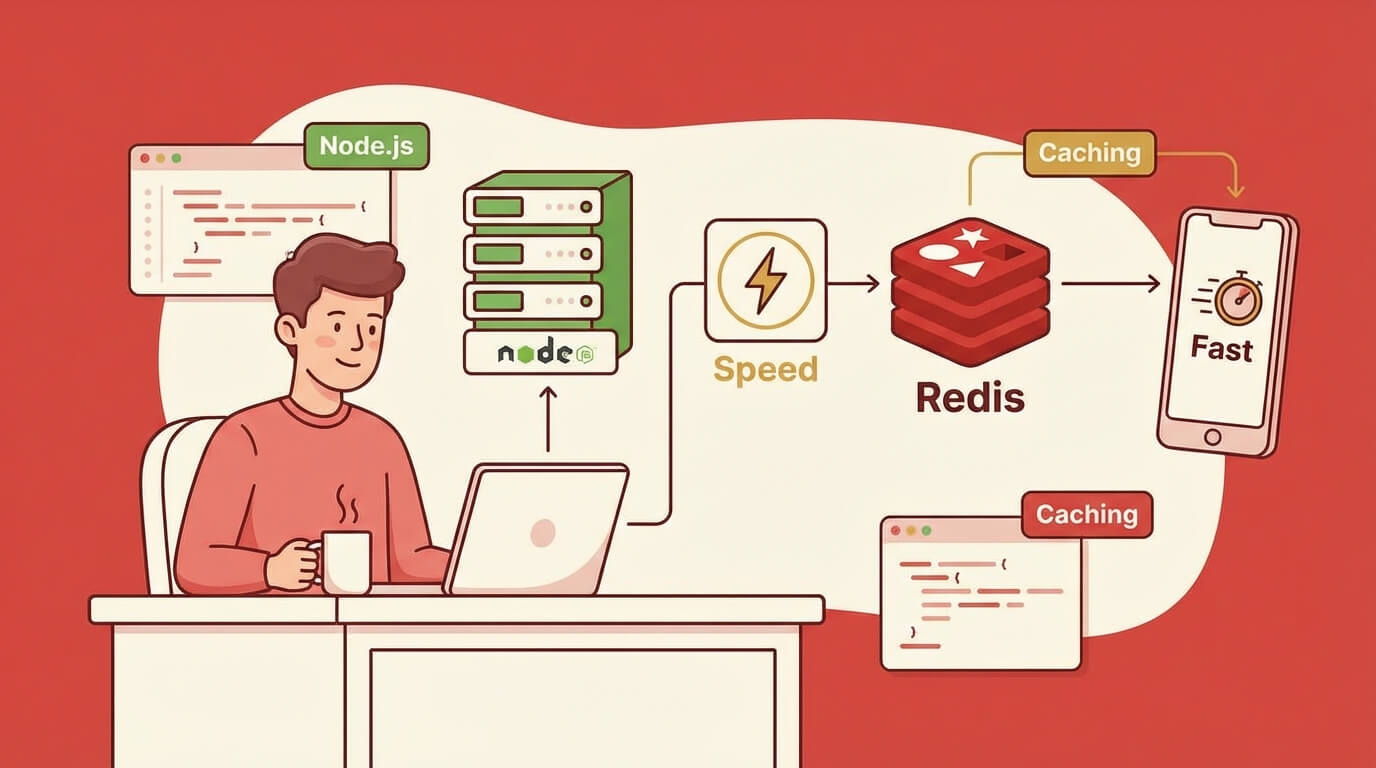
Cara Implementasi Caching dengan Redis di Node.js
Sabtu, 27 Des 2025
Pernah nggak sih aplikasi kamu terasa lambat padahal server-nya udah bagus? Database query yang sama dijalankan berulang-ulang, API response yang harusnya bisa di-reuse malah selalu fetch ulang. Masalah klasik yang solusinya sederhana: caching.
Dan kalau bicara caching di Node.js, Redis adalah raja-nya. In-memory data store yang super cepat, battle-tested, dan dipakai hampir semua tech company besar. Let’s dive in!
Kenapa Butuh Caching?
Sebelum masuk ke Redis, pahami dulu kenapa caching itu penting:
- Mengurangi Database Load - Query yang sama nggak perlu hit database berulang kali
- Response Time Lebih Cepat - Data dari memory jauh lebih cepat dari disk
- Cost Efficiency - Fewer database calls = lower cloud bills
- Better User Experience - Aplikasi terasa lebih snappy
Contoh sederhana: kalau homepage kamu nampilin “Top 10 Products” dan ada 10,000 users buka homepage per menit, tanpa caching berarti 10,000 database queries per menit. Dengan caching? Cukup 1 query per 5 menit (atau sesuai TTL yang kamu set).
Apa Itu Redis?
Redis (Remote Dictionary Server) adalah in-memory data structure store. Bisa dipakai sebagai:
- Cache - Simpan data temporary dengan TTL
- Database - Data persistent kalau diaktifkan
- Message Broker - Pub/Sub untuk real-time features
- Session Store - Simpan user sessions
Yang bikin Redis cepat adalah semua data disimpan di RAM. Read/write operation bisa mencapai 100,000+ ops/second. Bandingkan dengan database tradisional yang read dari disk.
Data Structures di Redis
Redis bukan cuma key-value store biasa. Dia support berbagai data structures:
STRING  → "user:123" = "John Doe"
HASH    → "user:123" = { name: "John", age: 25 }
LIST    → "queue:emails" = ["email1", "email2", "email3"]
SET     → "tags:post:1" = {"nodejs", "redis", "tutorial"}
ZSET    → "leaderboard" = [{score: 100, member: "player1"}, ...]
Setup Redis
Ada dua opsi: local development dan cloud (production).
Option 1: Redis Lokal (Docker)
Cara paling gampang pakai Docker:
# Pull dan run Redis
docker run -d --name redis -p 6379:6379 redis:alpine

# Atau dengan password
docker run -d --name redis -p 6379:6379 redis:alpine --requirepass yourpassword

# Test koneksi
docker exec -it redis redis-cli ping
# Output: PONG
Kalau mau pakai docker-compose.yml:
version: '3.8'
services:
  redis:
    image: redis:alpine
    ports:
      - "6379:6379"
    command: redis-server --requirepass ${REDIS_PASSWORD}
    volumes:
      - redis_data:/data
    restart: unless-stopped

volumes:
  redis_data:
Option 2: Upstash (Serverless Redis)
Untuk production, gue rekomendasiin Upstash. Kenapa?
- Serverless - Pay per request, nggak perlu manage server
- Global Replication - Data di-replicate ke multiple regions
- Free Tier Generous - 10,000 commands/day gratis
- REST API - Bisa dipake dari edge functions
Setup Upstash:
- Daftar di upstash.com
- Create new Redis database
- Pilih region terdekat (Singapore untuk Indonesia)
- Copy connection string
# .env
REDIS_URL=redis://default:[email protected]:6379
# atau untuk REST API
UPSTASH_REDIS_REST_URL=https://apn1-xxxxx.upstash.io
UPSTASH_REDIS_REST_TOKEN=xxxxx
Setup Node.js Client
Ada beberapa Redis client untuk Node.js. Yang paling populer:
- ioredis - Feature-rich, support cluster, Lua scripting
- redis - Official client, simple API
- @upstash/redis - HTTP-based, cocok untuk serverless
Gue prefer ioredis karena paling lengkap fiturnya.
Instalasi
npm install ioredis
# atau
pnpm add ioredis
Basic Connection
// lib/redis.ts
import Redis from 'ioredis';

const redis = new Redis(process.env.REDIS_URL || 'redis://localhost:6379');

redis.on('connect', () => {
  console.log('✅ Redis connected');
});

redis.on('error', (err) => {
  console.error('❌ Redis error:', err);
});

export default redis;
Untuk production, tambahkan retry logic:
// lib/redis.ts
import Redis from 'ioredis';

const redis = new Redis(process.env.REDIS_URL!, {
  maxRetriesPerRequest: 3,
  retryStrategy(times) {
    const delay = Math.min(times * 50, 2000);
    return delay;
  },
  reconnectOnError(err) {
    const targetError = 'READONLY';
    if (err.message.includes(targetError)) {
      return true;
    }
    return false;
  },
});

export default redis;
Basic Redis Operations
String Operations
import redis from './lib/redis';

// SET - simpan value
await redis.set('user:123:name', 'John Doe');

// SET dengan expiry (TTL dalam detik)
await redis.set('session:abc', 'user-data', 'EX', 3600); // expire 1 jam

// SETEX - shorthand untuk set dengan expiry
await redis.setex('otp:user123', 300, '123456'); // expire 5 menit

// GET - ambil value
const name = await redis.get('user:123:name');
console.log(name); // "John Doe"

// MSET/MGET - multiple set/get
await redis.mset('key1', 'value1', 'key2', 'value2');
const values = await redis.mget('key1', 'key2');
console.log(values); // ["value1", "value2"]

// DELETE
await redis.del('user:123:name');

// CHECK EXISTS
const exists = await redis.exists('user:123:name');
console.log(exists); // 0 atau 1
Hash Operations
Hash cocok untuk menyimpan object:
// HSET - set field dalam hash
await redis.hset('user:123', {
  name: 'John Doe',
  email: '[email protected]',
  age: '25',
});

// HGET - get single field
const email = await redis.hget('user:123', 'email');

// HGETALL - get semua fields
const user = await redis.hgetall('user:123');
console.log(user); // { name: 'John Doe', email: '[email protected]', age: '25' }

// HINCRBY - increment numeric field
await redis.hincrby('user:123', 'login_count', 1);

// HDEL - delete field
await redis.hdel('user:123', 'age');
List Operations
List bagus untuk queue atau recent items:
// LPUSH - add ke awal list
await redis.lpush('notifications:user123', 'New message from Bob');

// RPUSH - add ke akhir list
await redis.rpush('queue:emails', JSON.stringify({ to: '[email protected]', subject: 'Hello' }));

// LRANGE - get range of items
const notifications = await redis.lrange('notifications:user123', 0, 9); // 10 items pertama

// LPOP/RPOP - remove dan return item
const job = await redis.rpop('queue:emails');

// LLEN - get length
const queueLength = await redis.llen('queue:emails');
Set Operations
Set untuk unique collections:
// SADD - add members
await redis.sadd('tags:post:1', 'nodejs', 'redis', 'tutorial');

// SMEMBERS - get all members
const tags = await redis.smembers('tags:post:1');
console.log(tags); // ['nodejs', 'redis', 'tutorial']

// SISMEMBER - check if member exists
const hasTag = await redis.sismember('tags:post:1', 'nodejs');
console.log(hasTag); // 1

// SINTER - intersection of sets
await redis.sadd('user:1:interests', 'coding', 'gaming', 'music');
await redis.sadd('user:2:interests', 'coding', 'sports', 'music');
const commonInterests = await redis.sinter('user:1:interests', 'user:2:interests');
console.log(commonInterests); // ['coding', 'music']
Caching Patterns
Sekarang masuk ke bagian penting: bagaimana cara implement caching yang benar.
Pattern 1: Cache-Aside (Lazy Loading)
Pattern paling umum. Logic-nya:
- Check cache dulu
- Kalau ada (cache hit), return dari cache
- Kalau nggak ada (cache miss), fetch dari source, simpan ke cache, return
// services/userService.ts
import redis from '../lib/redis';
import { db } from '../lib/database';

interface User {
  id: string;
  name: string;
  email: string;
}

const CACHE_TTL = 3600; // 1 jam

export async function getUserById(userId: string): Promise<User | null> {
  const cacheKey = `user:${userId}`;

  // 1. Check cache
  const cached = await redis.get(cacheKey);
  if (cached) {
    console.log('Cache HIT');
    return JSON.parse(cached);
  }

  // 2. Cache miss - fetch from database
  console.log('Cache MISS');
  const user = await db.user.findUnique({ where: { id: userId } });

  if (!user) return null;

  // 3. Store in cache
  await redis.setex(cacheKey, CACHE_TTL, JSON.stringify(user));

  return user;
}
Pros:
- Simple dan mudah di-implement
- Cache hanya data yang dibutuhkan
- Cache miss nggak fatal (fallback ke database)
Cons:
- Request pertama selalu lambat (cache miss)
- Potential stale data sampai TTL expire
Pattern 2: Write-Through
Setiap write ke database, langsung update cache juga:
// services/userService.ts
export async function updateUser(userId: string, data: Partial<User>): Promise<User> {
  // 1. Update database
  const user = await db.user.update({
    where: { id: userId },
    data,
  });

  // 2. Update cache
  const cacheKey = `user:${userId}`;
  await redis.setex(cacheKey, CACHE_TTL, JSON.stringify(user));

  return user;
}

export async function createUser(data: CreateUserInput): Promise<User> {
  // 1. Create in database
  const user = await db.user.create({ data });

  // 2. Store in cache
  const cacheKey = `user:${user.id}`;
  await redis.setex(cacheKey, CACHE_TTL, JSON.stringify(user));

  return user;
}
Pros:
- Cache selalu up-to-date
- Read performance consistent
Cons:
- Write latency sedikit lebih tinggi
- Cache mungkin menyimpan data yang jarang di-read
Pattern 3: Write-Behind (Write-Back)
Write ke cache dulu, sync ke database secara async:
// Ini lebih complex, biasanya pakai queue
export async function updateUserAsync(userId: string, data: Partial<User>): Promise<void> {
  const cacheKey = `user:${userId}`;

  // 1. Update cache immediately
  const current = await redis.get(cacheKey);
  const updated = { ...JSON.parse(current || '{}'), ...data };
  await redis.setex(cacheKey, CACHE_TTL, JSON.stringify(updated));

  // 2. Queue database update
  await redis.rpush('queue:db-sync', JSON.stringify({
    operation: 'UPDATE_USER',
    userId,
    data,
    timestamp: Date.now(),
  }));
}

// Worker process yang sync ke database
async function processDatabaseSync() {
  while (true) {
    const job = await redis.blpop('queue:db-sync', 0);
    if (job) {
      const { operation, userId, data } = JSON.parse(job[1]);
      if (operation === 'UPDATE_USER') {
        await db.user.update({ where: { id: userId }, data });
      }
    }
  }
}
Pattern ini lebih advanced dan butuh error handling yang baik.
TTL Strategies
Menentukan TTL (Time To Live) yang tepat itu crucial:
// constants/cacheTTL.ts
export const CACHE_TTL = {
  // Static content - jarang berubah
  STATIC_PAGES: 86400,        // 24 jam
  PRODUCT_CATEGORIES: 3600,   // 1 jam

  // Semi-static - kadang berubah
  PRODUCT_DETAILS: 1800,      // 30 menit
  USER_PROFILE: 3600,         // 1 jam

  // Dynamic - sering berubah
  USER_SESSION: 7200,         // 2 jam
  API_RATE_LIMIT: 60,         // 1 menit

  // Very dynamic - sangat sering berubah
  STOCK_QUANTITY: 30,         // 30 detik
  LIVE_SCORES: 5,             // 5 detik
};
Dynamic TTL
Kadang TTL perlu dynamic berdasarkan kondisi:
function calculateTTL(dataType: string, lastModified: Date): number {
  const hoursSinceModified = (Date.now() - lastModified.getTime()) / (1000 * 60 * 60);

  // Data yang jarang di-update, cache lebih lama
  if (hoursSinceModified > 24) {
    return 3600; // 1 jam
  } else if (hoursSinceModified > 6) {
    return 1800; // 30 menit
  } else {
    return 300; // 5 menit
  }
}
Cache Invalidation
“There are only two hard things in Computer Science: cache invalidation and naming things.” — Phil Karlton
Manual Invalidation
// Invalidate single key
await redis.del('user:123');

// Invalidate by pattern (hati-hati di production!)
async function invalidatePattern(pattern: string): Promise<void> {
  const keys = await redis.keys(pattern);
  if (keys.length > 0) {
    await redis.del(...keys);
  }
}

// Usage
await invalidatePattern('user:123:*'); // Semua cache related to user 123
Warning: KEYS command itu blocking dan bisa bikin Redis lambat kalau data banyak. Di production, pakai SCAN:
async function invalidatePatternSafe(pattern: string): Promise<number> {
  let cursor = '0';
  let deletedCount = 0;

  do {
    const [newCursor, keys] = await redis.scan(cursor, 'MATCH', pattern, 'COUNT', 100);
    cursor = newCursor;

    if (keys.length > 0) {
      await redis.del(...keys);
      deletedCount += keys.length;
    }
  } while (cursor !== '0');

  return deletedCount;
}
Event-Driven Invalidation
Lebih baik invalidate cache berdasarkan events:
// events/userEvents.ts
import redis from '../lib/redis';
import { EventEmitter } from 'events';

export const userEvents = new EventEmitter();

userEvents.on('user:updated', async (userId: string) => {
  await redis.del(`user:${userId}`);
  await redis.del(`user:${userId}:profile`);
  await redis.del(`user:${userId}:settings`);
  console.log(`Cache invalidated for user ${userId}`);
});

userEvents.on('user:deleted', async (userId: string) => {
  await invalidatePatternSafe(`user:${userId}:*`);
});

// Usage in service
export async function updateUser(userId: string, data: Partial<User>): Promise<User> {
  const user = await db.user.update({ where: { id: userId }, data });
  userEvents.emit('user:updated', userId);
  return user;
}
Real-World Examples
1. API Response Caching
// middleware/cacheMiddleware.ts
import { Request, Response, NextFunction } from 'express';
import redis from '../lib/redis';
import crypto from 'crypto';

interface CacheOptions {
  ttl: number;
  keyPrefix?: string;
}

export function cacheMiddleware(options: CacheOptions) {
  return async (req: Request, res: Response, next: NextFunction) => {
    // Skip cache untuk non-GET requests
    if (req.method !== 'GET') {
      return next();
    }

    // Generate cache key dari URL + query params
    const keyData = `${req.originalUrl}:${JSON.stringify(req.query)}`;
    const cacheKey = `${options.keyPrefix || 'api'}:${crypto
      .createHash('md5')
      .update(keyData)
      .digest('hex')}`;

    try {
      const cached = await redis.get(cacheKey);
      if (cached) {
        res.setHeader('X-Cache', 'HIT');
        return res.json(JSON.parse(cached));
      }
    } catch (err) {
      console.error('Cache read error:', err);
    }

    // Override res.json untuk capture response
    const originalJson = res.json.bind(res);
    res.json = (body: any) => {
      // Store in cache (async, don't block response)
      redis.setex(cacheKey, options.ttl, JSON.stringify(body)).catch(console.error);
      res.setHeader('X-Cache', 'MISS');
      return originalJson(body);
    };

    next();
  };
}

// Usage
app.get('/api/products', cacheMiddleware({ ttl: 300 }), getProducts);
app.get('/api/products/:id', cacheMiddleware({ ttl: 600 }), getProductById);
2. Session Storage
// lib/sessionStore.ts
import redis from './redis';
import crypto from 'crypto';

interface Session {
  userId: string;
  email: string;
  role: string;
  createdAt: number;
  expiresAt: number;
}

const SESSION_TTL = 7 * 24 * 60 * 60; // 7 days

export async function createSession(userId: string, userData: Omit<Session, 'createdAt' | 'expiresAt'>): Promise<string> {
  const sessionId = crypto.randomBytes(32).toString('hex');
  const now = Date.now();

  const session: Session = {
    ...userData,
    userId,
    createdAt: now,
    expiresAt: now + (SESSION_TTL * 1000),
  };

  await redis.setex(`session:${sessionId}`, SESSION_TTL, JSON.stringify(session));

  // Track user's active sessions
  await redis.sadd(`user:${userId}:sessions`, sessionId);

  return sessionId;
}

export async function getSession(sessionId: string): Promise<Session | null> {
  const data = await redis.get(`session:${sessionId}`);
  if (!data) return null;

  const session = JSON.parse(data) as Session;

  // Check if expired (belt and suspenders)
  if (session.expiresAt < Date.now()) {
    await destroySession(sessionId);
    return null;
  }

  return session;
}

export async function destroySession(sessionId: string): Promise<void> {
  const session = await getSession(sessionId);
  if (session) {
    await redis.srem(`user:${session.userId}:sessions`, sessionId);
  }
  await redis.del(`session:${sessionId}`);
}

export async function destroyAllUserSessions(userId: string): Promise<void> {
  const sessionIds = await redis.smembers(`user:${userId}:sessions`);

  if (sessionIds.length > 0) {
    const pipeline = redis.pipeline();
    sessionIds.forEach(id => pipeline.del(`session:${id}`));
    pipeline.del(`user:${userId}:sessions`);
    await pipeline.exec();
  }
}
3. Rate Limiting
// middleware/rateLimiter.ts
import redis from '../lib/redis';
import { Request, Response, NextFunction } from 'express';

interface RateLimitOptions {
  windowMs: number;      // Window dalam milliseconds
  maxRequests: number;   // Max requests per window
  keyPrefix?: string;
}

export function rateLimiter(options: RateLimitOptions) {
  const { windowMs, maxRequests, keyPrefix = 'ratelimit' } = options;
  const windowSec = Math.ceil(windowMs / 1000);

  return async (req: Request, res: Response, next: NextFunction) => {
    const identifier = req.ip || req.headers['x-forwarded-for'] || 'unknown';
    const key = `${keyPrefix}:${identifier}`;

    try {
      const pipeline = redis.pipeline();
      pipeline.incr(key);
      pipeline.ttl(key);

      const results = await pipeline.exec();
      const currentCount = results?.[0]?.[1] as number;
      const ttl = results?.[1]?.[1] as number;

      // Set expiry on first request
      if (ttl === -1) {
        await redis.expire(key, windowSec);
      }

      // Set headers
      res.setHeader('X-RateLimit-Limit', maxRequests);
      res.setHeader('X-RateLimit-Remaining', Math.max(0, maxRequests - currentCount));
      res.setHeader('X-RateLimit-Reset', Date.now() + (ttl > 0 ? ttl * 1000 : windowMs));

      if (currentCount > maxRequests) {
        return res.status(429).json({
          error: 'Too Many Requests',
          message: `Rate limit exceeded. Try again in ${ttl} seconds.`,
        });
      }

      next();
    } catch (err) {
      console.error('Rate limiter error:', err);
      next(); // Fail open - allow request if Redis is down
    }
  };
}

// Usage
app.use('/api/', rateLimiter({
  windowMs: 60 * 1000,  // 1 menit
  maxRequests: 100,      // 100 requests per menit
}));

// Stricter limit untuk auth endpoints
app.use('/api/auth/', rateLimiter({
  windowMs: 15 * 60 * 1000,  // 15 menit
  maxRequests: 5,             // 5 attempts
  keyPrefix: 'ratelimit:auth',
}));
4. Leaderboard dengan Sorted Sets
// services/leaderboardService.ts
import redis from '../lib/redis';

const LEADERBOARD_KEY = 'leaderboard:global';

export async function updateScore(userId: string, score: number): Promise<void> {
  await redis.zadd(LEADERBOARD_KEY, score, userId);
}

export async function incrementScore(userId: string, amount: number): Promise<number> {
  return await redis.zincrby(LEADERBOARD_KEY, amount, userId);
}

export async function getTopPlayers(count: number = 10): Promise<Array<{ userId: string; score: number; rank: number }>> {
  const results = await redis.zrevrange(LEADERBOARD_KEY, 0, count - 1, 'WITHSCORES');

  const players: Array<{ userId: string; score: number; rank: number }> = [];
  for (let i = 0; i < results.length; i += 2) {
    players.push({
      userId: results[i],
      score: parseFloat(results[i + 1]),
      rank: Math.floor(i / 2) + 1,
    });
  }

  return players;
}

export async function getPlayerRank(userId: string): Promise<{ rank: number; score: number } | null> {
  const pipeline = redis.pipeline();
  pipeline.zrevrank(LEADERBOARD_KEY, userId);
  pipeline.zscore(LEADERBOARD_KEY, userId);

  const results = await pipeline.exec();
  const rank = results?.[0]?.[1];
  const score = results?.[1]?.[1];

  if (rank === null || score === null) return null;

  return {
    rank: (rank as number) + 1,
    score: parseFloat(score as string),
  };
}
Monitoring Redis
Basic Stats dengan INFO
async function getRedisStats(): Promise<Record<string, any>> {
  const info = await redis.info();

  // Parse info string
  const stats: Record<string, any> = {};
  info.split('\n').forEach(line => {
    const [key, value] = line.split(':');
    if (key && value) {
      stats[key.trim()] = value.trim();
    }
  });

  return {
    usedMemory: stats['used_memory_human'],
    connectedClients: stats['connected_clients'],
    totalKeys: stats['db0']?.match(/keys=(\d+)/)?.[1] || 0,
    hitRate: calculateHitRate(
      parseInt(stats['keyspace_hits'] || '0'),
      parseInt(stats['keyspace_misses'] || '0')
    ),
  };
}

function calculateHitRate(hits: number, misses: number): string {
  const total = hits + misses;
  if (total === 0) return '0%';
  return `${((hits / total) * 100).toFixed(2)}%`;
}
Memory Analysis
async function analyzeMemory(): Promise<void> {
  const info = await redis.info('memory');
  console.log('Memory Info:', info);

  // Get memory usage for specific key
  const keyMemory = await redis.memory('USAGE', 'user:123');
  console.log('Memory for user:123:', keyMemory, 'bytes');

  // Get big keys (careful in production!)
  // Better to run: redis-cli --bigkeys
}
Health Check Endpoint
// routes/health.ts
app.get('/health/redis', async (req, res) => {
  try {
    const start = Date.now();
    await redis.ping();
    const latency = Date.now() - start;

    const stats = await getRedisStats();

    res.json({
      status: 'healthy',
      latency: `${latency}ms`,
      ...stats,
    });
  } catch (err) {
    res.status(503).json({
      status: 'unhealthy',
      error: (err as Error).message,
    });
  }
});
Best Practices
1. Naming Convention untuk Keys
Gunakan format yang konsisten dan descriptive:
{entity}:{id}:{attribute}

Contoh:
user:123:profile
user:123:settings
post:456:comments
session:abc123xyz
cache:api:products:list
ratelimit:ip:192.168.1.1
2. Jangan Store Data Besar
Redis optimal untuk data kecil. Kalau perlu store data besar:
// ❌ Bad
await redis.set('report:large', hugeJsonData); // 10MB data

// ✅ Good - store di object storage, reference di Redis
await redis.set('report:large:url', 's3://bucket/reports/large.json');
3. Use Pipeline untuk Multiple Operations
// ❌ Bad - 100 round trips
for (const userId of userIds) {
  await redis.get(`user:${userId}`);
}

// ✅ Good - 1 round trip
const pipeline = redis.pipeline();
userIds.forEach(id => pipeline.get(`user:${id}`));
const results = await pipeline.exec();
4. Handle Connection Errors
redis.on('error', (err) => {
  console.error('Redis error:', err);
  // Log to monitoring service
  // Don't crash the app - implement circuit breaker
});

redis.on('reconnecting', () => {
  console.log('Redis reconnecting...');
});
5. Set Memory Limits
Di redis.conf atau saat start:
redis-server --maxmemory 256mb --maxmemory-policy allkeys-lruMemory policies:
noeviction- Return error saat memory penuhallkeys-lru- Evict least recently used keysvolatile-lru- Evict LRU keys yang punya expiryallkeys-random- Random eviction
6. Graceful Shutdown
process.on('SIGTERM', async () => {
  console.log('Shutting down...');
  await redis.quit();
  process.exit(0);
});
Kesimpulan
Redis adalah tool yang powerful untuk caching di Node.js. Key takeaways:
- Pilih caching pattern yang tepat - Cache-aside untuk kebanyakan kasus, write-through kalau data consistency penting
- TTL strategy - Sesuaikan dengan seberapa sering data berubah
- Cache invalidation - Event-driven lebih reliable daripada TTL-only
- Monitor - Track hit rate, memory usage, dan latency
- Fail gracefully - Aplikasi harus tetap jalan walau Redis down
Mulai dari yang simple dulu—cache API responses dengan cache-aside pattern. Setelah familiar, baru explore pattern lain sesuai kebutuhan.
Happy caching! 🚀